A QR code on an asset tag holds no asset data. It holds a short string, nearly always a URL with an ID on the end, and every fact you actually care about — who signed out the laptop, when the generator was last serviced, what it cost in 2023 — sits in a database that the URL points at. Asset tagging is exactly that: giving each physical item a scannable QR or barcode label that resolves to its record, so a phone scan opens the item instead of a search box. Everything else in QR code asset tracking — the check-outs, the custody trail, the audit that stops taking a week — hangs off that one lookup.
The distinction sounds pedantic until someone asks what happens to the stickers if the software goes away. The stickers survive. The meaning doesn't. Which is why the choice of code type (QR, barcode, NFC, RFID) matters far less than most buying guides pretend, and why the boring parts of this article, the label material and print method and quiet zones, are the parts that decide whether the thing still works in year three.
I build one of these systems, so discount what I say about software accordingly. The label and printing advice below is vendor-neutral; it would be identical if you tracked everything in a paper ledger.
What the scan actually does
Camera sees code, decodes the string, opens the URL, server returns the record. Four steps, roughly 1–2 seconds, and three of them are somebody else's problem.
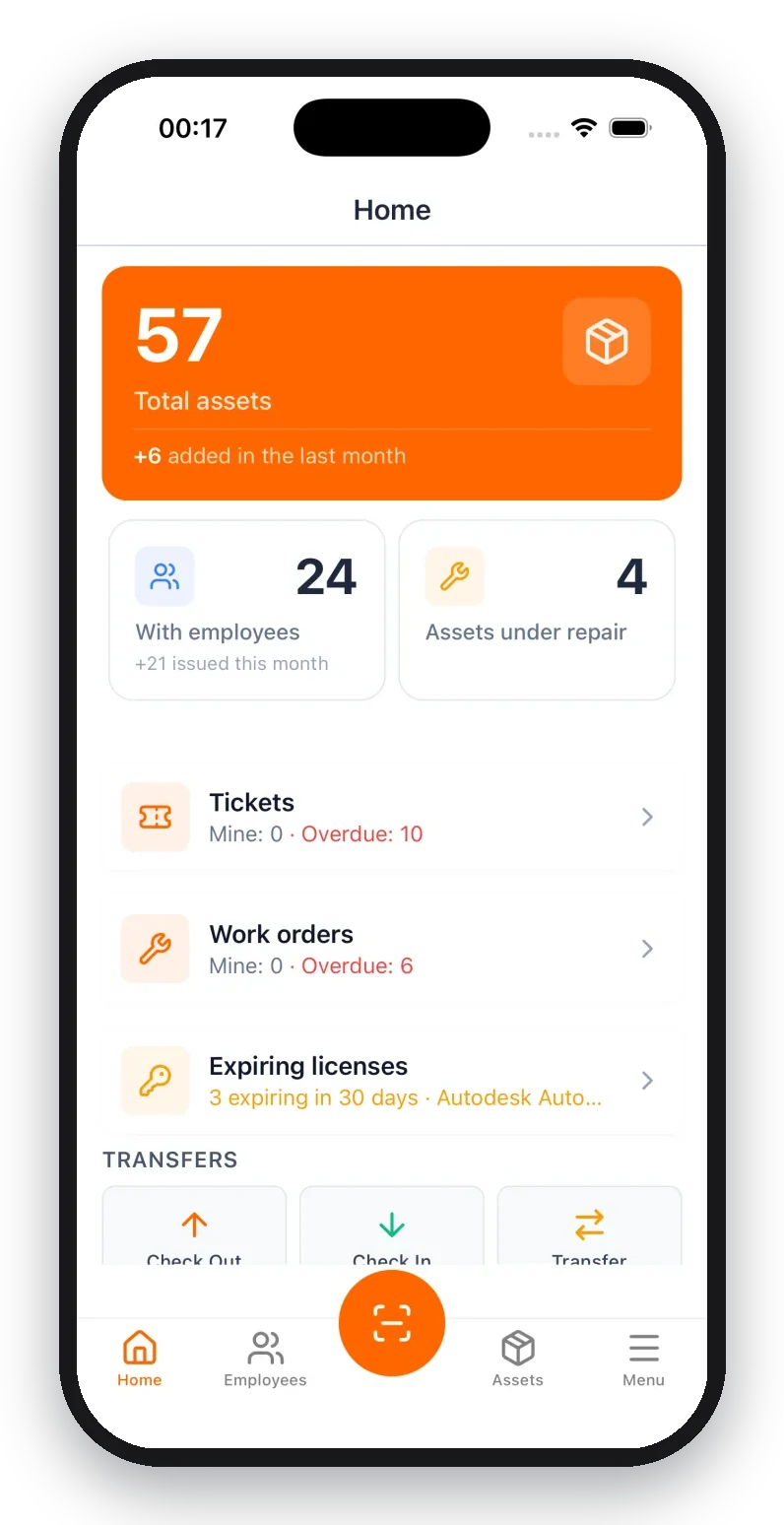
The part worth understanding is the third one. Because the record loads over the network, a plain camera scan needs coverage. Fine in an office. Useless in a basement plant room, or a fenced yard two hills from the nearest tower. Native apps get around it by keeping a local copy and a scan queue: UNIO24Mobile opens the asset card in under two seconds with owner, location, service history, documents, and any linked work orders, and when there's no signal it stacks the scans and pushes them up on reconnect. A browser tab can't do that. If your assets live where the bars don't, plan on an app, not a camera.
What people do after the scan is nearly always one of four things: check something out, check it back in, transfer it to another person, or log that it broke. Everything else (depreciation, audits, warranty dates) is reporting that happens later, at a desk, by someone who isn't holding the asset.
A spreadsheet is honestly fine until about fifty items
I'm supposed to tell you spreadsheets are chaos. They aren't, not at small scale. One person, forty items, one file: that works, and we publish a free asset tracking spreadsheet precisely because it works.
Two things break it, and neither is the item count on its own.
The first is concurrent editing. The moment two people update the same file from two laptops, one of them is writing into a stale copy, and nobody finds out for weeks. The second is the handoff. A spreadsheet records where a thing is supposed to be, but nobody opens Excel at the exact moment they hand a drill to a colleague in a van. That's the gap tags close: the record updates at the moment custody changes, because updating it takes one scan and two taps instead of a trip back to a desk.
So the honest threshold isn't fifty rows. It's the day a second person needs to write to the file, or the day items start moving between people rather than sitting in one room.
Choosing the code
Four options get pitched at you. They are not four equal options.
QR is the default and should be, for a plain reason: it's the only one your team can scan with hardware they already own and already carry. Free to generate, prints on anything, and its Reed-Solomon error correction rebuilds damaged modules rather than just detecting them.
1D barcodes (Code 128 for asset tags, since it takes letters and numbers at variable length) make sense in one situation: you already own scanners, or you're feeding a system that only speaks barcode. Warehouse WMS installations, checkout counters, maintenance carts with a gun bolted to the side. If you're buying hardware from scratch to read 1D codes in 2026, stop and reconsider. Code 128's check digit detects a misread; it can't reconstruct one, so a scratch across the bars means a dead label rather than a degraded one.
NFC gets sold as the premium upgrade to QR, and for most fleets it's money spent on a nicer gesture. Tap beats aim, sure. But you're paying per chip for something a $0.02 printed sticker does, and you're limiting scanning to phones with NFC enabled and, on older iPhones, to a manually opened app. There are real cases: tags buried behind panels or under paint, assets handled with heavy gloves in a freezer, equipment where a printed label won't survive the washdown but an encapsulated chip will. Outside those, NFC tagging is a solution looking for a fleet.
RFID is the one I'd push back on hardest. It does something the others genuinely can't. A handheld reader sweeps a room and picks up dozens of tags without line of sight, turning a two-day inventory count into an afternoon. That's a real capability with a real price: plain inlays are cents apiece in volume, but on-metal tags cost multiples of that, and the handheld UHF reader is a four-figure purchase before anyone has scanned anything. Under roughly 500 assets, or when you count inventory twice a year instead of twice a month, the math doesn't clear. We sell RFID support and I still tell people this on calls; run your own numbers in the RFID ROI calculator before you commit to readers.
| Technology | Best for | Cost | Needs |
|---|---|---|---|
| QR code | Most assets, phone-based teams | Free to generate | Any smartphone camera |
| Barcode (Code 128) | Existing scanners, legacy systems | Low (label only) | Scanner gun or a scanning app |
| NFC | No line of sight, gloves, washdown | Low-medium (chip cost) | NFC phone, close tap |
| RFID | Bulk counts, 500+ assets | Higher (reader + tags) | UHF reader |
You aren't locked into one, which is the part that goes unsaid in comparison posts. Barcode scanning, QR, and NFC run side by side on the same platform, so the factory Code 128 already printed on a spare-parts box stays as-is and the laptops get QR. Mixed fleets are normal. If you want the cost-per-tag math laid out properly, the QR vs NFC vs RFID comparison goes deeper than this section does, and RFID asset tracking covers reader setup if you decide the volume justifies it.
Printing labels that still scan in year three
This is where asset tagging projects actually fail, and it's never the software's fault.
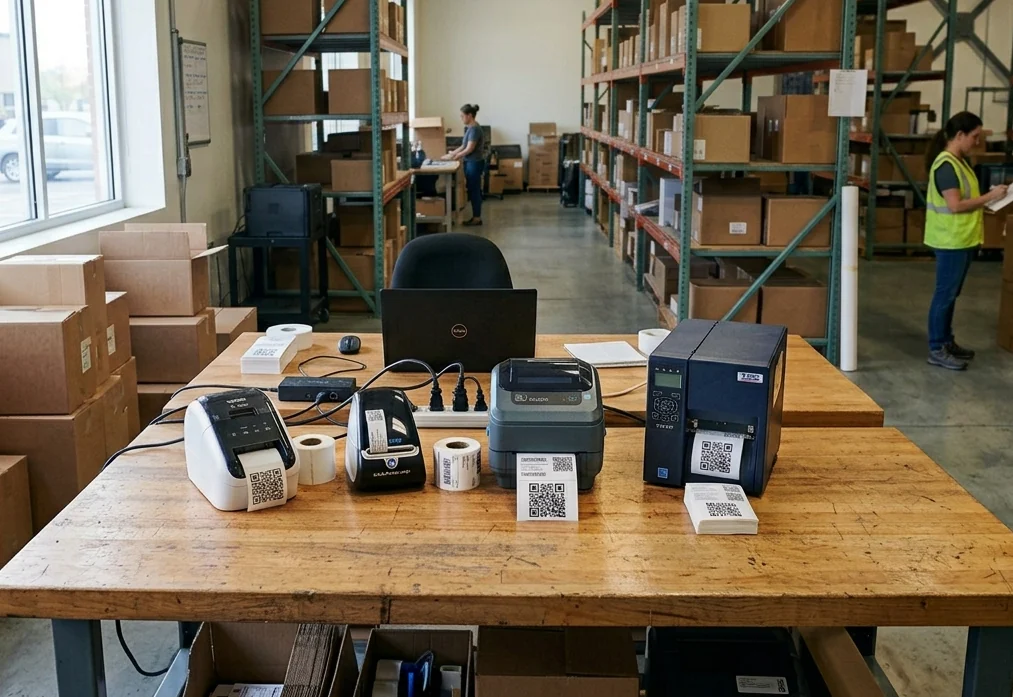
Start with the print method, because it's the mistake people make before they've made any others. Direct thermal printers (the cheap ones, no ribbon, the kind that spit out shipping labels) produce labels that darken and fade with heat, sunlight, and time. Six months on a sunny windowsill or a hot machine housing and the code is a grey smudge. Thermal transfer printing, where a ribbon melts pigment onto the label, is what asset tags need; pair a resin ribbon with a polyester face stock and the print survives solvents and abrasion. A regular office laser printer is fine for indoor sheet labels, with one caveat I learned by ruining about forty of them: toner sits on the surface and scuffs off under repeated handling, so laminate anything that gets touched daily.
Then the material. Paper is fine, genuinely fine, for desks and shelving and indoor gear that nobody wets. Polyester with an acrylic adhesive is the workhorse: tools, laptops, anything that gets wiped down, and it shrugs off moisture, mild solvents and abrasion. Vinyl goes on curved or textured surfaces where a stiff polyester label lifts at the edges. And for outdoor structures, heat, chemicals, or anything that has to stay legible for a decade, anodized aluminum, where the image is sealed into the oxide layer so there's no printed surface left to wear off in the first place.
Adhesive deserves more attention than it gets. Low surface energy plastics, meaning the polypropylene of most tool cases and some powder-coated panels, shed standard acrylic adhesives within weeks. If the label is going on a plastic case, specify an adhesive rated for LSE surfaces or accept that you'll be relabeling.
Now size. The working rule for QR is 10:1. The code should be roughly a tenth of the distance it will be scanned from. Reading a laptop lid at 20 cm, a 2 cm code is comfortable. Reading a forklift mast from three metres, you need something around 30 cm across, and no amount of squinting fixes an undersized code. Print at the largest size the surface tolerates; wasted white space costs nothing, a failed scan costs a walk back to the shop.
Quiet zone next, and this is the single most common reason a freshly printed code won't read: the scanner needs blank margin around the code to find its edges. QR wants four modules of clear space on all sides. Code 128 wants at least ten times its narrow-bar width, which in practice means a solid centimetre of nothing on each end. Designers push codes to the edge of a label because it looks tidier. It isn't tidier; it's broken.
A word on error correction, since it's routinely misunderstood. QR offers four levels, L through H, recovering roughly 7%, 15%, 25% and 30% of damaged codewords. The instinct is to pick H for durability. But at a fixed physical size, higher correction means more modules crammed into the same square, so each module gets smaller and the code becomes harder to read on a dirty lens or in bad light. For asset tags I'd use M as standard and reserve H for codes that are genuinely going to get scratched: tool shanks, outdoor plates.
Contrast is binary in practice: dark on light works, everything else is a gamble. Brand-colour codes on brand-colour backgrounds are a recurring complaint I hear after the fact, along with glossy laminate that mirrors overhead lights straight into the camera. Matte finish, black on white, and you never think about it again.
Test before you commit to a batch. Not at your desk. In the actual place, at the actual distance, under the actual lighting, with the phone models your team actually carries. Generate a handful with the QR code generator, print them on the real stock, and go stand in the plant room. Ten minutes of this saves reprinting four hundred labels. If codes are already failing in the field, why codes scan blurry and how to fix it walks through the usual causes, and if you're buying a printer for this, how to choose a QR code printer covers what actually matters in the spec sheet.
What else goes on the label
The code, a human-readable ID, and a phone number or short URL for "found this, whose is it".
Keep the ID short and meaningless. Sequential numbers with a two-letter prefix at most. Every scheme I've seen that encoded department, building, or purchase year into the ID became a lie within eighteen months, because departments merge and equipment moves buildings. Then you're reading IT-HQ-2021-0043 off a machine that's been sitting in the warehouse under a different team for two years. Meaningless IDs never go stale. Put the meaning in the database, where it can be edited.
Don't print serial numbers on the outside of the label. It's the one field a thief benefits from.
Scanning from an iPhone or Android
Worth being precise here, because "any phone reads any code" is one of those claims that's true enough to repeat and wrong enough to cause a support ticket.
QR: the stock Camera app on iOS and on Android reads it natively. Point, tap the notification, done. No app to install, which is the whole reason QR won.
1D barcodes are a different story. Apple's Camera app is documented for QR; Code 128 and friends are handled through the barcode-scanning APIs, which means a scanning app rather than the camera you already have open. Android varies by manufacturer: Google Lens handles most 1D symbologies, some vendor camera apps don't. So if you're planning barcode asset tracking on iPhone specifically, budget for an app in the workflow. Ours does it; so do others, and our browser barcode scanner is there if you just want to test a printed label before buying anything.
NFC has a version cliff worth knowing about. Background tag reading (hold the phone near the tag, the record opens, no app launched first) works on iPhone XS and newer. On iPhone 7, 8, and X, someone has to open an NFC-capable app before tapping, and in my experience that single extra step is enough to make field crews stop bothering. Android has supported background reading far longer.
The other thing a native app buys you, beyond offline queueing: batch scanning. Walking a storeroom scanning forty items in a row without opening each record individually turns an audit from an afternoon into twenty minutes. Camera-only workflows can't do that.
Tag twenty things this week
Not two thousand. Twenty.
The instinct on a first deployment is to label the entire fleet before switching anything on, and it's the reason so many of these projects die in a conference room with a half-finished CSV. Pick the assets that actually move: the laptops that circulate between new hires, the tools that leave in someone's van, the test equipment three teams fight over. Those are where the losses are.
- List those twenty items. A CSV with a name and a category is plenty; UNIO24 imports it, and everything else can be filled in later.
- Generate codes in bulk rather than one at a time. The bulk barcode generator outputs a full sheet matched to your IDs, or the built-in label editor prints to Avery templates with your own layout.
- Print on the right stock for where each item lives (see above; this is the step people skip).
- Stick them on, scan each one immediately to confirm it resolves to the right record. Catching a swapped label now takes five seconds. Catching it mid-audit next March takes an afternoon.
- Run real check-outs for two weeks before adding anything else.
Then stop and look at what happened. If the twenty stopped going missing, extend to the next fifty; the free plan covers 50 assets with no expiry, which is deliberately enough to reach that decision honestly. Start free: no card, no sales call. And once scans are accumulating, they're worth more than lookups. Asset tracking with QR codes produces a timestamped record of who touched what and when, which is the input for tracking utilization with QR codes and finding the equipment that sits idle. Placement rules, numbering conventions, and what to do about assets that already carry a manufacturer barcode are all in the asset tagging best practices playbook.
What people push back with on calls
"We've got 2,000 items. We'd be labeling for half a year."
Then don't label 2,000 items. Tag the twenty that keep disappearing. Once those stop being a weekly argument, the other 1,980 get tagged opportunistically, during a service visit, at check-in, whenever someone's already holding the thing. Nobody has ever needed a complete asset register on day one; they needed to stop losing the same drill.
"Our guys won't scan anything."
They will if scanning is faster than the alternative, and slower than nothing. Scanning a code beats texting the office and waiting for a reply, so the tool wins on its own merits. Where it fails is when you demand a scan and a form: six fields, a photo, a signature. Ask for the scan and the person. Add fields later, if ever.
"We already bought barcode guns."
Then use them. Code 128 labels work fine, the guns keep their value, and phones cover the people who aren't near a station. This isn't a religious question. Which tag type goes on which asset class is a shrug, not a strategy.
"What if we outgrow it, or want to leave?"
Fair, and the honest answer is to check the export before you commit, not after. Ours goes out to CSV or JSON whenever you want. The codes themselves are just strings, so re-pointing them at a different system is a URL-mapping job rather than a relabeling job, as long as you never printed a vendor's domain into a code you can't redirect.
Frequently asked questions
Do QR code asset tags work without internet?
The scan resolves a URL, so a phone browser needs a connection to load the record. In warehouses and remote yards you scan through a native app instead — UNIO24Mobile keeps a local queue and syncs it when the device is back in coverage. The printed label doesn't care either way.
QR code or barcode for metal, outdoor, or harsh-environment assets?
The material decides this, not the symbology. Polyester or anodized aluminum with an acrylic adhesive for metal, heat, sun, and washdown. Between the two code types, QR has Reed-Solomon error correction that rebuilds damaged modules, while a Code 128 check digit only tells the scanner the read was wrong, which is why scratched 1D labels fail outright.
How many assets can I tag for free?
Fifty on the UNIO24 free plan, with no expiry date on it. That covers a small team's laptops or a crew's power tools, and it's enough to run real check-outs for a couple of months before deciding anything.
Can I reuse a tag when an asset is retired?
Don't. Retire the code with the asset and print a fresh one for the replacement. Reused labels are how a 2019 scan history ends up attached to a machine bought last spring, and untangling that costs more than the label saved.
Do I need a barcode scanner gun?
No, and most teams shouldn't buy one. Phone cameras handle QR natively, and a scanning app handles Code 128. Handheld guns earn their price at a fixed station doing hundreds of scans a shift — a checkout counter, a receiving dock — not for staff walking around with assets.