ON SCHEDULE
Maintenance, finally on schedule.
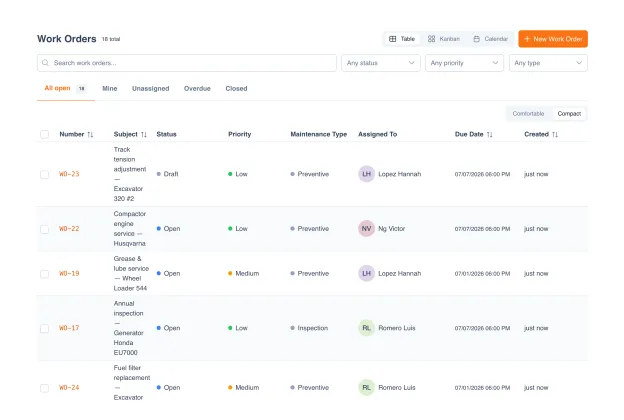
Preventive schedules that actually fire, inspection checklists technicians follow every time, and a complete service history for every asset.
Sound familiar?
Equipment breaks down between services
Reactive calls come in at the worst time: production halted, customers waiting, overtime rates. Most of it was preventable, if anyone had been watching the interval.
'When was the last service on this one?'
Nobody remembers. The paper logbook is somewhere in a drawer, the shared folder has three versions, and the technician who knew left last year.
PM intervals live in one person's head
The facilities manager knows what needs service and when. When they're on leave, the schedule stops. When they retire, it's lost.
Reactive repairs come at the worst time
Overtime rates, expedited parts, idle production lines. The breakdown bill always exceeds the repair invoice.
Every asset. Full service history. One click.
Open any asset and see its full maintenance timeline: every inspection, every repair, every technician, every part used, every dollar spent. When the asset is due for service, you know. When it's failing more often than it should, you see the pattern.
Complete service timeline per asset
Labor, parts, and external-vendor costs captured
Lifetime maintenance cost visible at a glance
Repeat-failure patterns flagged automatically
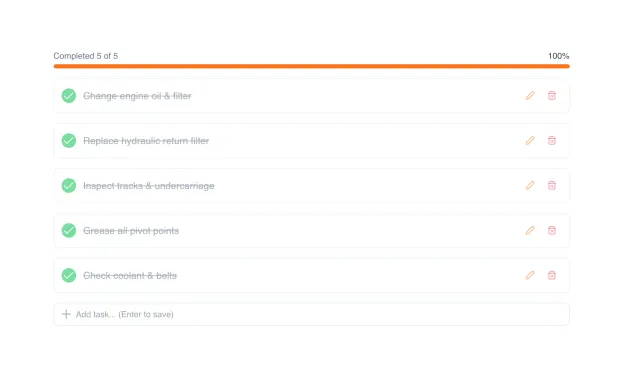
Checklists technicians actually follow.
Define the procedure once: inspection steps, safety checks, required measurements, photo evidence points. Technicians see the checklist on mobile, tick each step as they go, attach photos and readings. Every completion is traceable.
Step-by-step procedures per asset type
Required photos, readings, and signatures
Offline capture, syncs when back online
Skip-reason tracking for steps not completed
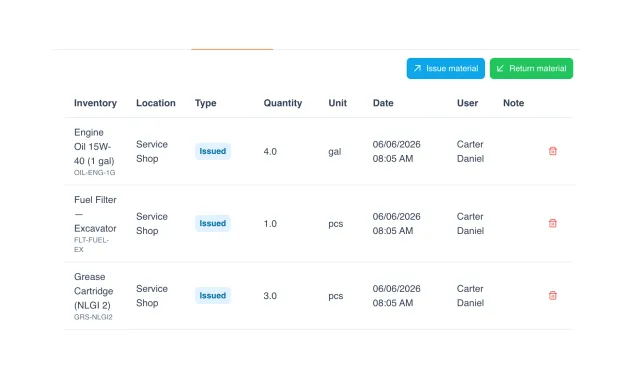
Costs, labor, and parts. All captured.
Every maintenance event logs the time spent, the parts consumed (pulled from Parts Inventory), and the external-vendor cost if outsourced. Over time UNIO24 builds a lifetime cost per asset, so you know when replacement beats repair.
Labor hours per task, per technician
Parts consumed from inventory automatically
External vendor invoices attached and totaled
Cost-per-hour-run and cost-per-cycle analysis
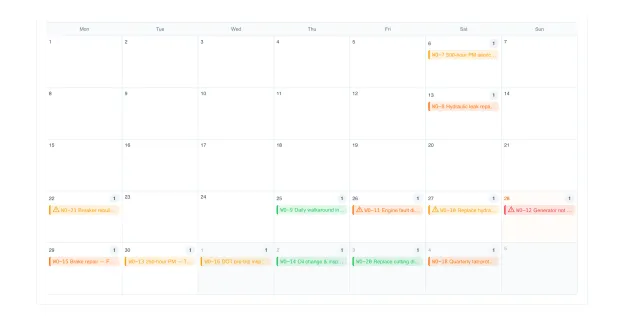
Calendar view. Forward visibility.
See every scheduled PM and active work order on a single calendar. Drag to reschedule and filter by team or asset type. Overdue items highlight in red; upcoming in orange.
Monthly / weekly / daily calendar views
Filter by team, location, asset type, priority
Overdue and upcoming color-coded at a glance
Designed for how your team actually works.
One broken excavator = a day's wages sitting idle.
- Hour-meter based PM for heavy equipment
- On-site mobile inspection checklists with photo evidence
- Service history follows equipment between sites
HVAC and AV gear must work by Monday morning.
- Seasonal PM schedules for HVAC, elevators, fire systems
- Compliance with safety and fire-code inspection cycles
- Work orders routed to facilities team from a single calendar
Printers jam the week before a big presentation.
- Scheduled toner, drum, and service intervals for printers
- UPS battery replacement cycles
- Per-office maintenance coordination
Refrigeration fails and inventory turns into losses.
- Temperature-log-based inspections for refrigeration
- Scheduled HVAC and POS-printer servicing across stores
- Per-store maintenance rollup for regional managers
Forklift PM schedules in a spreadsheet that's always wrong.
- Hour-meter triggers for forklifts, trailers, pallet jacks
- Fluid changes, tire rotations, safety inspections
- Downtime tracking: know which unit is costing you most
What systematic preventive maintenance is worth, industry benchmarks.
Published industry data on what teams gain when they move from reactive to structured PM. Not UNIO24-specific outcomes.
Preventive vs reactive savings
PM Magazine: reactive repair costs 3–9× the equivalent preventive task. Most teams recover the majority of that gap in year one.
Downtime reduction
Industry benchmark for teams moving from reactive to structured PM: 20–40% reduction (Aberdeen, PM Magazine).
Extended asset life
Consistent servicing vs neglect typically adds 15–25% to major equipment lifespan.
Technician wrench time
Industry data: structured-CMMS shops average 30–50% of technician time on actual repair work vs 25–35% in reactive shops. More work done in the same hours.
UNIO24 is a platform. Maintenance is one module.
Explore what else your team gets, all included, all with unlimited users.


Questions, answered straight.
What's the difference between Maintenance and Work Orders?
Maintenance is the plan: PM schedules, inspection procedures, service intervals. Work Orders are the execution: individual tasks assigned to technicians. When a Maintenance schedule fires, UNIO24 auto-generates a Work Order. Both are included on every plan.
Does it auto-create work orders from PM schedules?
Yes. When a trigger fires, a draft work order is generated with the asset, procedure, required parts, and assigned technician. A manager approves (or it auto-approves with configured rules), and the technician sees it on mobile.
Can I track parts used and labor costs?
Yes. Parts are pulled directly from Parts Inventory (module included), automatically deducting stock. Labor hours and external-vendor invoices are captured per job. UNIO24 builds a lifetime cost per asset you can compare against replacement value.
How does Maintenance connect with Tickets?
A breakdown ticket can be converted to a corrective work order in one click. The work order pulls the asset's service history and parts list. When all linked work orders close, the ticket auto-closes. No manual reconciliation.
How do schedule triggers work?
Three types: time-based (every 30 days), usage-based (every 250 hours of runtime), or condition-based (when a reading crosses a threshold). You set the rule once; UNIO24 watches the asset and fires the work order when the condition is met.
Can technicians complete work on mobile?
Yes. Full iOS and Android apps. Technicians see assigned work, follow the inspection checklist, capture photos and signatures, log time and parts, all offline if signal is weak. Syncs when back online.
What kinds of assets does it work for?
Any asset with a service cycle: HVAC, refrigeration, heavy equipment, forklifts, printers, elevators, vehicles, manufacturing equipment. If it has a manufacturer-recommended service interval, UNIO24 can track it.
How does UNIO24 help cut maintenance costs?
Three workflows do the heavy lifting. Preventive schedules turn emergency repairs into planned work. Overtime and expedited parts disappear. Per-asset lifetime cost tracking flags when replacement beats repair. Parts and labor captured per job. No reconciliation, no missing costs.
Go deeper.
Practitioner guides on preventive maintenance, work order workflows, and asset reliability.
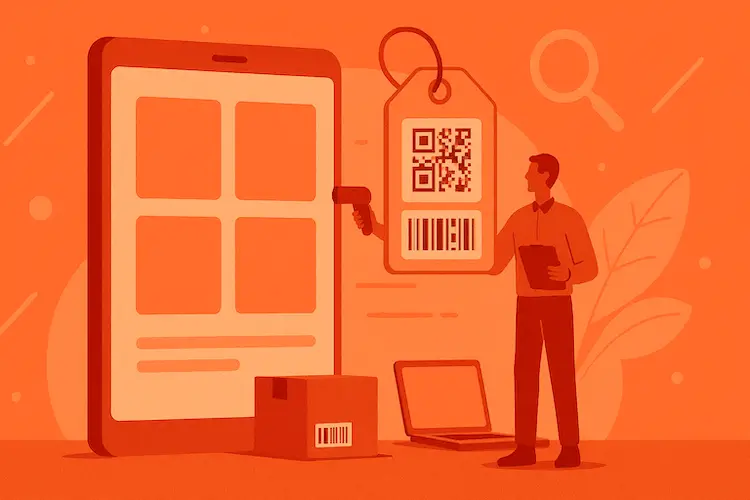
Asset Tagging Best Practices: A Practitioner's Guide
Label types, placement strategies, numbering schemes, foundation for every maintenance workflow.
Read more: Asset Tagging Best Practices: A Practitioner's Guide
Asset Tracking System Selection Guide
How to evaluate asset + maintenance systems: features, total cost, team fit, vendor risk.
Read more: Asset Tracking System Selection Guide
Data Migration and Cleansing for Asset Tracking
From messy records to clean registry, the migration playbook nobody teaches you.
Read more: Data Migration and Cleansing for Asset Tracking