The last stage of an asset's life is the one most likely to leak data or lose money — and it turns on records you were supposed to keep all along
A laptop's riskiest day is often its last one at your company. For three years it sat on a desk under endpoint protection, patched and monitored. Then it gets replaced, and it lands in a drawer, a storage closet, or a box headed "somewhere." The controls are gone, the drive still holds years of data, and nobody is entirely sure it's on the list anymore. Multiply that by every device a growing organization retires, and end of life quietly becomes one of the largest unmanaged risks in IT.
IT asset disposition is the discipline that closes that gap. It's also widely misunderstood as "recycling the old computers" — which is a small part of it, and not the part that gets companies fined.
What Is IT Asset Disposition (ITAD)?
IT asset disposition (ITAD) is the secure, compliant, and documented process of handling IT hardware at the end of its useful life — sanitizing or destroying the data it holds, recovering residual value where possible, responsibly recycling what's left, and keeping an audit trail of the whole thing.
It's the final stage of the IT asset lifecycle: an asset gets acquired, deployed, maintained, and eventually retired. Disposition governs that retirement so it doesn't happen by accident. And "disposition" is a more deliberate word than "disposal." Disposal is throwing the device away. Disposition is the decision about what happens to each retiring asset, and the proof that it was handled right.
That distinction is where most confusion lives, so it's worth pinning down.
IT Asset Disposal vs Disposition
People use the two words interchangeably, but they aren't the same, and the difference explains why ITAD is a program rather than a trip to the recycler.
| IT asset disposal | IT asset disposition | |
|---|---|---|
| Scope | The act of getting rid of hardware | The end-to-end process around end of life |
| Question it answers | Where does this device go? | How is each retiring asset handled, and can we prove it? |
| Includes | Recycling, destruction, discard | Data sanitization, value recovery, redeploy/donate/destroy decision, recycling, documentation |
| Goal | Remove the hardware | Remove the risk, recover the value, keep the audit trail |
Disposal is a step inside disposition. Disposition adds the two things that actually protect you: value recovery (a working three-year-old laptop still has resale worth) and the audit trail (certificates tying each destroyed drive back to a specific asset). Treat end of life as pure disposal and you leave money on the table and a compliance gap behind you.
The Four Pillars of ITAD
A complete disposition program rests on four pillars. Most organizations do one or two well and quietly skip the rest.
1. Data security and sanitization. Every drive is wiped to a certified standard (such as NIST 800-88) or physically destroyed, with high-sensitivity media destroyed outright rather than wiped. This is the pillar that turns a retired laptop from a breach waiting to happen into an inert asset, and the risk isn't hypothetical. When Blancco and Ontrack bought used drives off eBay, 42% still held residual data and 15% carried personally identifiable information. On an earlier sample, most of the exposed drives had had a delete attempted that simply hadn't worked. A quick reformat is not sanitization.
2. Value recovery. Working hardware — laptops, servers, network equipment — is assessed, refurbished, and remarketed to offset the cost of replacements. Value recovery is what makes a mature ITAD program partly self-funding rather than a pure cost.
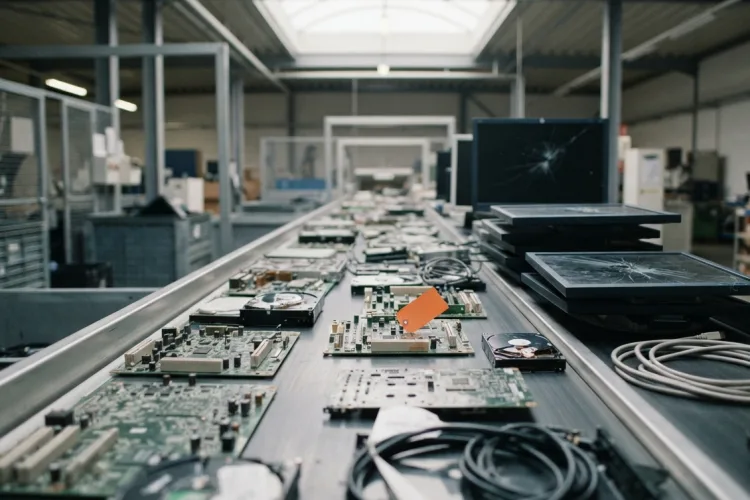
3. Responsible recycling. Anything with no residual value is broken down and recycled through certified channels (R2 or e-Stewards), so heavy metals and plastics stay out of landfill and out of the news. The scale is easy to underestimate: the world generated a record 62 million tonnes of e-waste in 2022, and only 22.3% was documented as formally collected and recycled, according to the UN's Global E-waste Monitor 2024 — one of the end-of-life figures we compile in our asset management statistics. Certified recycling is how your retired hardware lands in that 22% rather than the rest. Specialized gear sits at the extreme end: Bitcoin-mining rigs — single-purpose machines that de Vries and Stoll found average a 1.29-year lifespan — throw off an estimated 30,700 tonnes of e-waste a year on their own, comparable to the small-IT waste of a country the size of the Netherlands. Most business hardware ages more gracefully, but the pattern is the same: the faster you refresh, the more you have to dispose of.
4. Compliance and reporting. An unbroken chain of custody, certificates of data destruction, and recycling documentation — mapped to each asset. This is the pillar auditors care about, and the one a spreadsheet-and-goodwill approach almost always fails.
Three of those four pillars depend on knowing exactly which assets you're retiring and what was on them. That dependency is the whole game, and it's the one most programs underinvest in.
The IT Asset Disposition Process, Step by Step
A disposition that holds up under audit runs as a defined sequence, not an ad-hoc cleanout.
- Identify the retiring assets. Pull the list of devices at end of life from your asset inventory — by age, lease expiry, refresh cycle, or condition. You cannot securely dispose of what you didn't know you had, so this step is the whole foundation.
- Classify the data. For each unit, record what data sensitivity it held. This decides the treatment: a standard wipe for low-risk devices, certified destruction for anything that touched regulated or confidential data.
- Establish chain of custody. Track each device as it moves from the user to a staging area to the sanitization point. Gaps in custody are exactly what a breach investigation looks for.
- Sanitize or destroy the data. Apply the certified method the classification calls for, and capture the certificate.
- Recover value or recycle. Assess remaining hardware for remarketing, redeployment, or donation; send the rest to certified recycling.
- Document and close the record. Attach the destruction and recycling certificates to each asset, mark it disposed with a date, and remove it from active inventory and from anything it was still being paid for.
Run in that order, the risky steps (sanitization, custody) happen before the hardware leaves your control, and the audit trail assembles itself as you go.
IT Asset Disposition Best Practices
The difference between a disposition program you can defend and a storage closet of liability comes down to a handful of habits.
- Start from a complete inventory. The single biggest ITAD failure is retiring assets that were never accurately tracked. If the record is wrong, every downstream step inherits the error — and the device you can't account for is the one that surfaces in a breach.
- Classify data before anything moves. Decide wipe-versus-destroy at the desk, not at the dock. It's a per-asset decision, and it drives everything after it.
- Never break the chain of custody. From the moment a device is marked for retirement to the moment its drive is certified gone, someone or something should own its location. A logged check-out and check-in trail does this without heroics.
- Prefer reuse to destruction where risk allows. Redeploying or remarketing recovers value and cuts e-waste. Destruction is for data risk, not for hardware that still has a second life.
- Tie every certificate to a specific asset. "We shredded a batch of drives" is not an audit trail. "Asset LT-0442, serial ####, wiped NIST 800-88, certificate attached, disposed 2026-07-10" is. Per-device documentation is what turns compliance from a scramble into a lookup.
Every one of these rides on the same thing: an accurate, current record of each asset, its data, its owner, and its movements. Which is why disposition is less a separate project than the payoff of good asset management all along.
Where ITAD Fits — and Where the Records Come From
A lot of ITAD content oversells here, so let me be straight about it. The physical work at the end — certified wiping, shredding, R2-certified recycling, secure logistics — is specialist work. For any real volume, or any regulated data, most organizations hire a dedicated ITAD vendor to do it, and they should.
What no vendor can hand you is the record. The retiring list, the serial numbers, the data classification per device, the chain of custody from desk to dock, and the disposed-with-certificate status afterward — that lives in your asset system, and it's the part that makes the whole disposition provable. The vendor destroys the drive; your records prove which drive it was, what was on it, and that it's gone.
This is the difference between the two ends of a disposition. Feed a vendor a clean, classified, custody-tracked list and you get an auditable program. Feed them a mystery pile from a closet and you get a bill and a lingering question about what you just handed over.
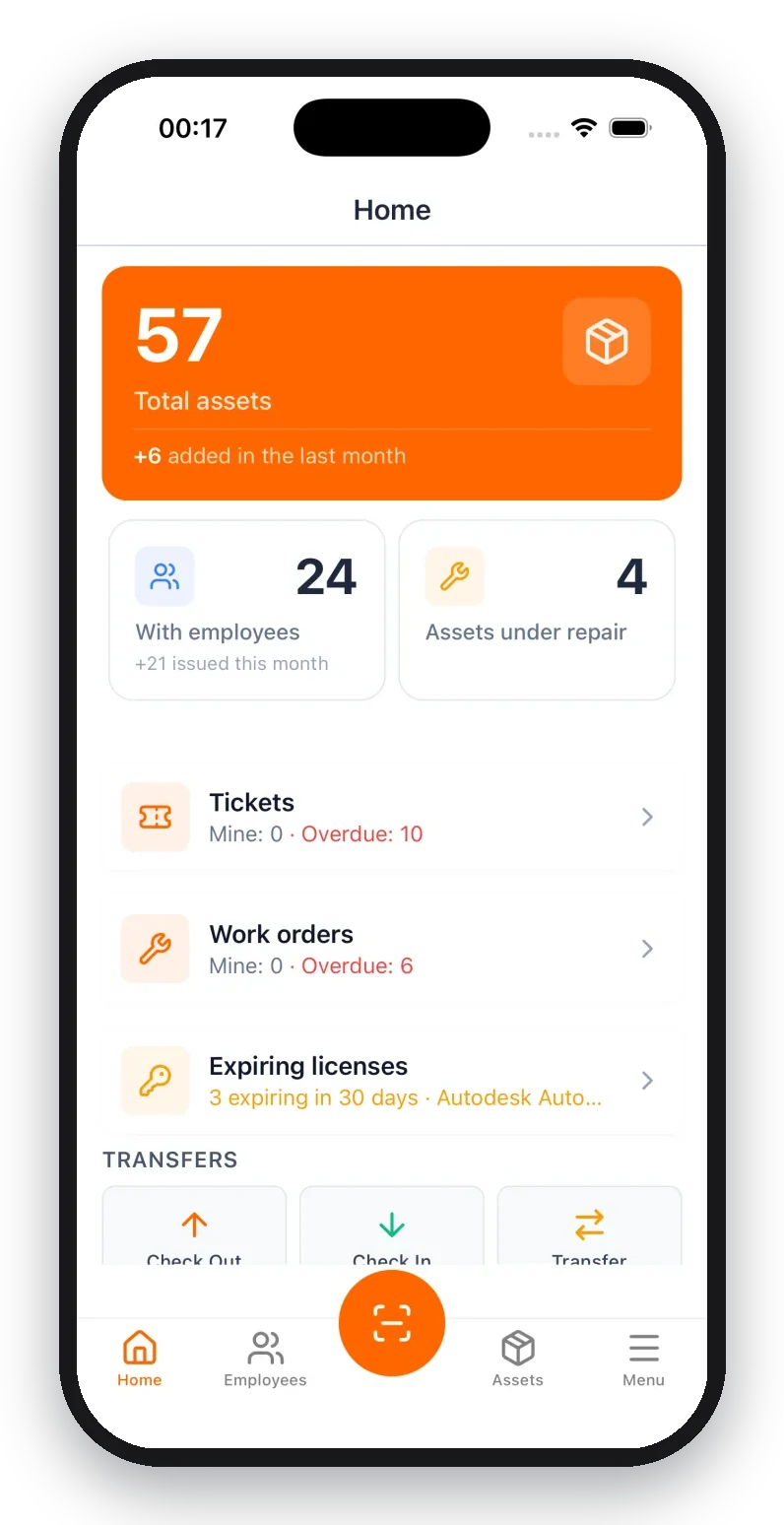
A cloud IT asset management system is where that record lives: a full asset register with serial numbers and assignees, an asset lifecycle that flags devices approaching end of life, check-out/check-in history for chain of custody, and a disposed status with the certificate attached per asset. It won't wipe a single drive. What it does is keep the disposition defensible, which is the half a vendor can't do for you. If you're starting from spreadsheets, even a structured IT asset inventory template beats a closet and a memory.
Good disposition is the last dividend of tracking assets well from day one. It's the same idea as its bookkeeping cousin, asset disposal: retire the asset cleanly, record it, and close the loop — so the item leaves your risk register and your books at the same time it leaves the building.
Frequently Asked Questions
What is the IT asset disposition process?
IT asset disposition follows a repeatable sequence: identify the retiring assets against your inventory, classify the data each one holds, establish chain of custody, sanitize or physically destroy that data with a certified method, decide whether to remarket or recycle the hardware, and capture the certificates against each asset record. The step most programs get wrong is the first one — you cannot securely dispose of hardware you don't know you own, so the process really begins with an accurate asset inventory, not with the shredder.
What is the difference between IT asset disposal and disposition?
Disposal is the narrow act of getting rid of hardware — recycling it, destroying it, or discarding it. Disposition is the wider process around end of life: securely sanitizing data, deciding whether a device is remarketed, redeployed, donated, or destroyed, recovering residual value, and documenting the whole chain for compliance. Every disposal is part of disposition, but disposition also covers value recovery and the audit trail. Disposal is where the device goes; disposition is the governed process that decides how, and proves it.
What are the core benefits of IT asset disposition?
It closes a data-breach gap — retired drives are a common leak source, and certified sanitization removes the risk. It recovers value — working hardware has resale worth that offsets replacement cost. It keeps you compliant — e-waste laws and data-protection regulations expect documented, responsible handling. And it produces an audit trail: certificates of destruction and recycling tied to each asset, which is exactly what a security or financial auditor asks to see.
How big is the IT asset disposition industry?
Estimates vary by analyst, but the global ITAD market was valued at roughly $18–26 billion in 2024 and is forecast to keep growing at a high-single-digit to low-double-digit annual rate through the early 2030s, according to firms such as Grand View Research and MarketsandMarkets. The drivers are consistent across sources: tightening data-protection and e-waste regulation, corporate ESG and sustainability commitments, and shorter hardware refresh cycles that push more devices into end of life each year.
What are the best practices for IT asset disposal?
Start from a complete, accurate inventory so nothing retires off the books. Classify data by sensitivity before anything leaves the building, so high-risk drives get destruction rather than a basic wipe. Keep an unbroken chain of custody to the sanitization point. Use a certified destruction method (NIST 800-88 for wiping, or physical shredding) and keep the certificate. Prefer reuse and remarketing over destruction where the data risk allows. And log every certificate against the specific asset it belongs to, so the disposition is auditable per device.
What counts as an IT asset in an ITAD program?
Anything that stored, processed, or could carry recoverable data or residual value. The obvious ones are laptops, desktops, monitors, servers, and networking gear. The commonly missed ones are the risk: phones and tablets, external drives and USB media, printers and copiers with internal storage, point-of-sale terminals, IoT and facility devices, and data-center equipment. Software licenses and cloud subscriptions belong in disposition too — reclaim or cancel them rather than keep paying. A good asset inventory already lists all of these.
Do I need an ITAD vendor, or can I dispose of IT assets in-house?
It depends on volume and risk. Small teams can run disposition in-house for low-sensitivity devices with a certified wiping tool and a certified e-waste recycler. At scale, or where regulated data is involved, most organizations hire a specialized ITAD vendor for secure logistics, certified destruction, and compliance paperwork. Either way, the part you own is the record: which assets are retiring, what data they held, and the chain of custody. The vendor destroys the drive; your asset system proves which drive it was and that it's gone.
How does asset tracking support IT asset disposition?
Disposition is only as trustworthy as the inventory behind it. Asset tracking supplies the retiring list, the identity of each unit (serial, model, assignee), the data classification that decides wipe-versus-destroy, and the chain of custody as a device moves from user to sanitization. When the destruction certificate comes back, it attaches to that asset's record and the item is marked disposed with a date. That record is the difference between an ITAD program you can prove and a pile of gear nobody can account for.
The Bottom Line
IT asset disposition is what keeps the end of an asset's life from becoming the start of a data breach or a compliance finding. It comes down to four pillars: secure data sanitization, value recovery, responsible recycling, and documented compliance. Run them as a defined process, not as an occasional closet cleanout.
The physical destruction is specialist work you'll often outsource. The part that makes the whole thing defensible is the part you keep: a complete, classified, custody-tracked record of every asset from the day it arrives to the day its drive is certified gone. Get end of life right and disposition is just the last, clean step of managing assets well. Skip the record and it's the step where the risk you never tracked finally shows up.
Build the Record That Makes Disposition Provable — Free
Every step of a defensible ITAD program leans on one thing: an accurate asset record. That's the layer UNIO24 covers: a full IT asset register with serials and assignees, an asset lifecycle that flags devices nearing end of life, check-out/check-in history for chain of custody, and a disposed status with the certificate attached per asset. It doesn't touch the shredder. It's the record every ITAD program runs on top of.
It's free for up to 50 assets, with no trial clock — enough to get your fleet on the record now, so the next refresh cycle retires cleanly instead of into a closet.
Facing a hardware refresh and a pile of retiring devices? Start with UNIO24 for free and put your fleet on a record you can dispose of with confidence.