Free Vehicle Maintenance Log Template for Excel
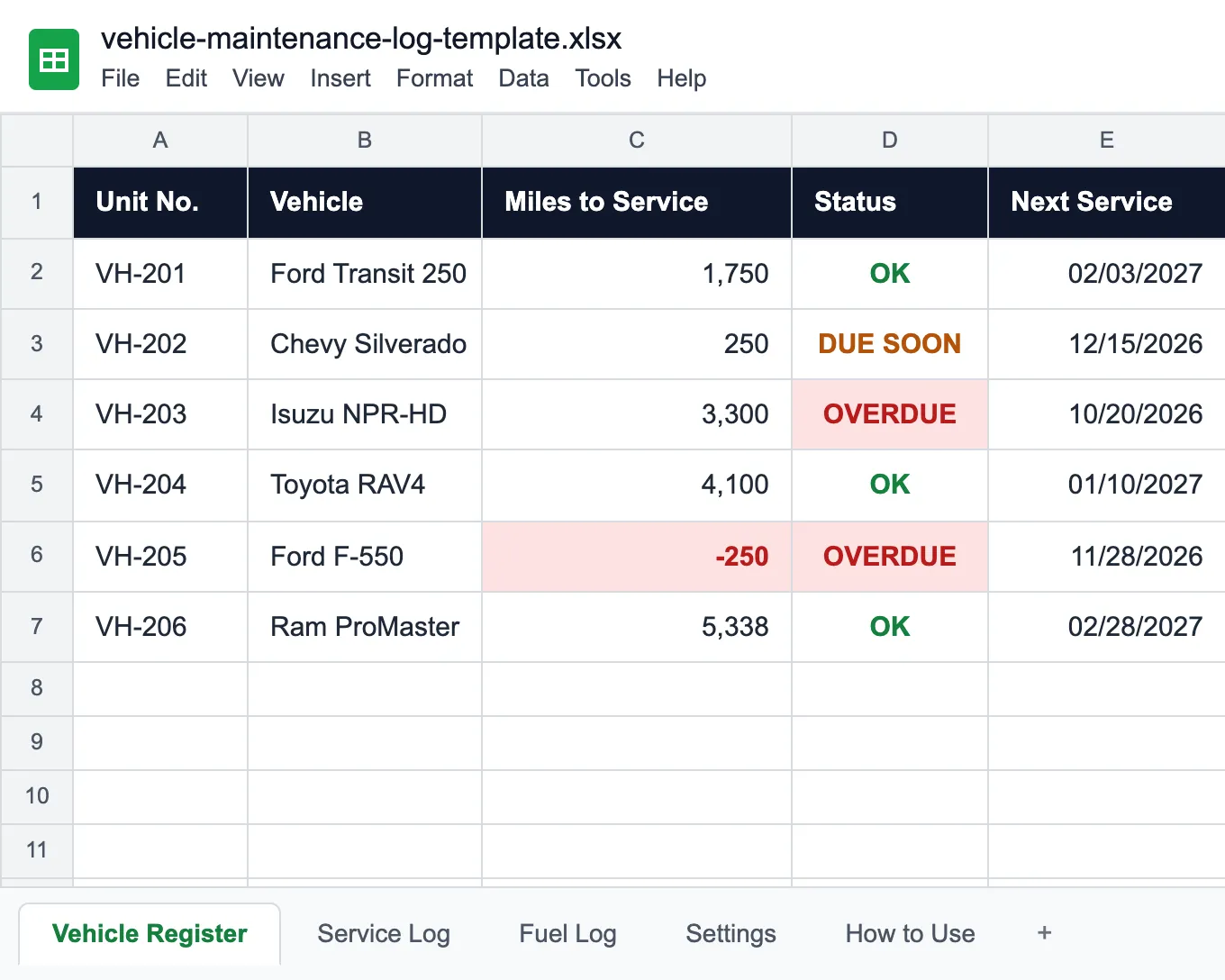
A service log, a fuel log and a vehicle register in one file: the register reads both logs, shows which vehicle is due for service by miles or by date, works out MPG from every full tank, and adds up fuel and service cost per mile. Works in Microsoft Excel and Google Sheets.
What goes in a vehicle maintenance log
A vehicle maintenance log is the record of everything done to a vehicle and what it cost: the date, the odometer reading, the work, the shop, parts and labor. Kept for a fleet, it answers the questions a single car's logbook never has to: which van is due next, which truck is costing the most, and whether the fuel bill matches the miles driven. This template keeps three sheets and a register on top of them.
Service Log. One row per job: scheduled service, repair, tires, brakes or inspection, with the odometer, the work done, the shop, parts and labor. The total adds itself up. Only a Scheduled service resets the service clock, so a set of new tires does not hide an oil change that is due.
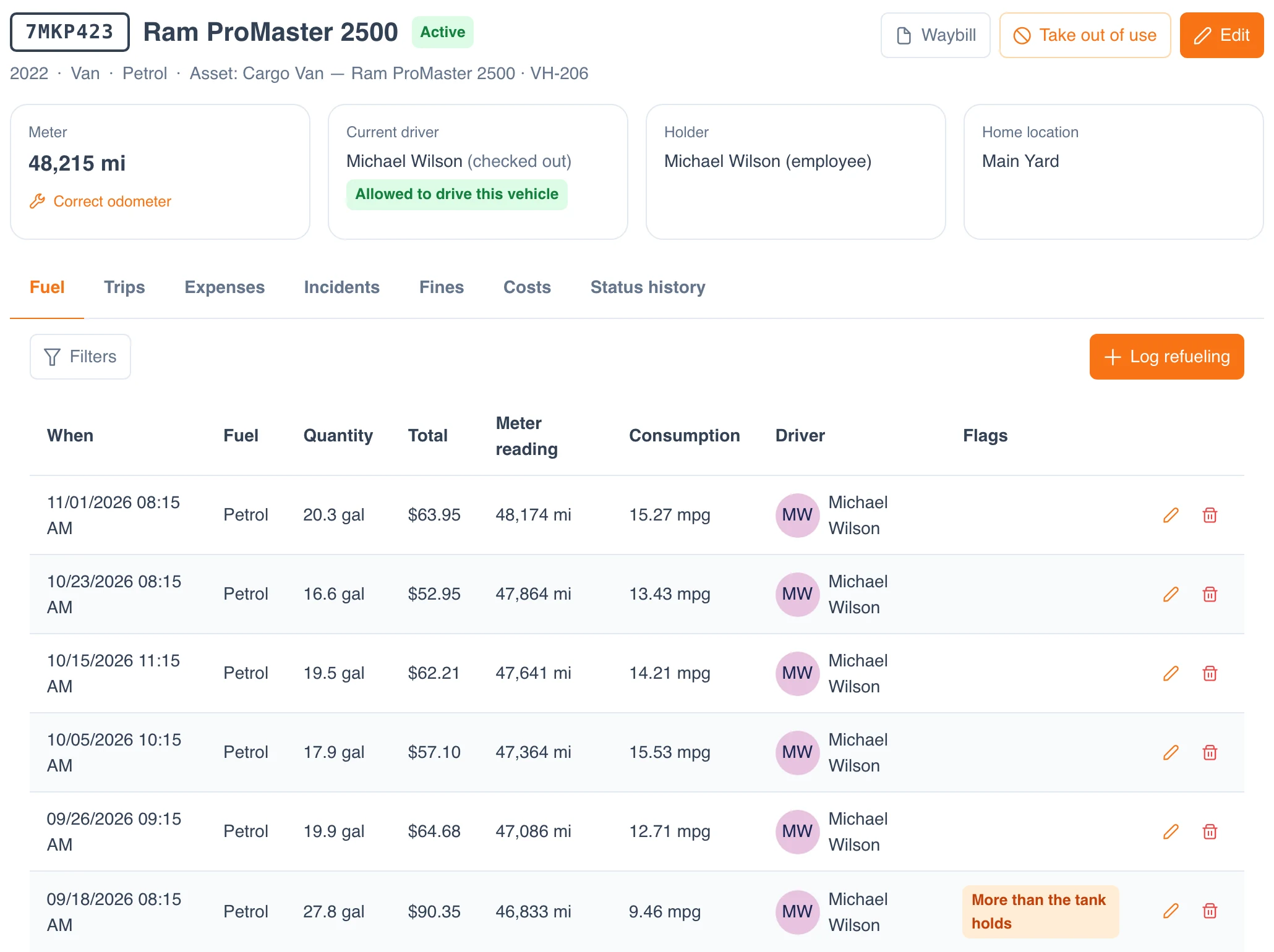
Fuel Log. One row per fill-up with the odometer, gallons and price. Miles since the last fill and MPG fill in on every full tank, and the Check column flags three things worth a second look:
- OVER TANK: more gallons than the tank holds, often a fuel card used for a second vehicle or a jerry can.
- LOW MPG: under 75% of the vehicle's own average, which points to a leak, a dragging brake, a typo or fuel that went somewhere else.
- ODOMETER?: a reading lower than an earlier fill, usually a typing mistake that skews every MPG after it.
Vehicle Register. One row per vehicle with its service interval in miles and in months, whichever comes first, and its tank size. It takes the current odometer from both logs and works out the next service date and mileage, the miles left, and a status: OVERDUE when either one has passed, DUE SOON within 30 days or 500 miles (change both in Settings), and OK otherwise. Next to it: average MPG, fuel cost, service cost and cost per mile for each vehicle.
For the daily pre-trip check, use the vehicle inspection checklist; for a trip-by-trip record of business miles, the mileage log template; every repair can go on a work order. Equipment other than vehicles fits the general maintenance log template.
Who uses a vehicle maintenance log
Anyone who pays for the fuel and the oil changes of more than one vehicle.
Delivery and courier fleets
Cargo vans that put on thousands of miles a month and burn most of the budget at the pump.
Field service companies
Service trucks and pickups driven home by technicians and filled on a company card.
Construction contractors
Pickups and box trucks on rough sites that need service sooner than the manual says.
Company car pools
Pool cars shared by many drivers, where nobody remembers the last oil change.
Municipal and utility fleets
Mixed fleets where cost per mile decides when a vehicle is replaced.
Fleet managers and shops
Service due dates, fuel cards and running costs across every vehicle in one place.
Before you fill it in
The truck burned twice its usual fuel in October. Nobody noticed.
Try UNIO24 to automate fleet maintenance tracking.
Try UNIO24 FreeA fuel log only catches a problem when someone reads it, and keeping it current takes someone's time every week. UNIO24 automates that work: every fill-up is checked against the vehicle's tank and usual consumption as it comes in, and the service comes due by miles or by date on its own.
| Capability | Free Template | UNIO24 FreeRecommended for growing fleets |
|---|---|---|
| Fuel | ||
| Fuel log with MPGBoth work it out from full tanks. UNIO24 also imports the fuel card statement. | Yes | Yes |
| Unusual fill-ups flaggedThe template flags over-tank, low MPG and odometer slips. UNIO24 also catches duplicate fills and fills outside working hours. | Partial | Yes |
| Service | ||
| Service due by miles or by dateThe register shows the status. UNIO24 maintenance plans open the work order when it comes due. | Partial | Yes |
| Repairs from driver inspectionsA failed item on the daily check becomes a defect and a repair, on the same vehicle. | No | Yes |
| Cost & reliability | ||
| Cost per vehicleThe template adds fuel and service. UNIO24 adds insurance, tolls, fines and depreciation too. | Partial | Yes |
| Many drivers and depots at onceA shared file gets overwritten. UNIO24 handles simultaneous users. | Partial | Yes |
| Full support | 1/ 6 | 6/ 6 |
Frequently Asked Questions
About vehicle maintenance logs and the template
Is the vehicle maintenance log template free?
Yes. No cost, no subscription, no card. Enter your name and email and the Excel file downloads straight away.
How do I calculate MPG from a fuel log?
Fill the tank to full, note the odometer, and at the next full fill divide the miles driven since by the gallons you put in. A partial fill does not tell you how far the last tank went, so the template works out MPG on full tanks only. Mark a partial fill with N in the Full Tank column.
How do I spot fuel card misuse?
Look for fills bigger than the tank, fills on days the vehicle did not run, and MPG well under the vehicle's usual figure. The Check column in the Fuel Log flags the first and the last of these; compare the dates with the vehicle's schedule for the second.
What should a vehicle maintenance log include?
For every job: the date, the odometer reading, what was done, who did it, and the cost of parts and labor. For a fleet, add the unit number so each row belongs to one vehicle, and the service interval so the log can tell you what is due next. This template does both and keeps fuel in the same file.
Should vehicles be serviced by miles or by months?
By whichever comes first. A van that does 2,000 miles a month reaches its mileage long before the date; a pool car that sits most of the week reaches the date first, and oil ages even when it is not used. Each vehicle in the register has both, and the status turns OVERDUE when either one passes.
When should a fleet move from a spreadsheet to software?
Usually when fuel card statements arrive faster than anyone can type them in, when several people edit the same file, or when you need the cost of each vehicle without building a report. That is when fleets start logging fuel and maintenance in UNIO24.
More templates for fleet and field equipment
The same register idea, applied to the rest of the fleet.
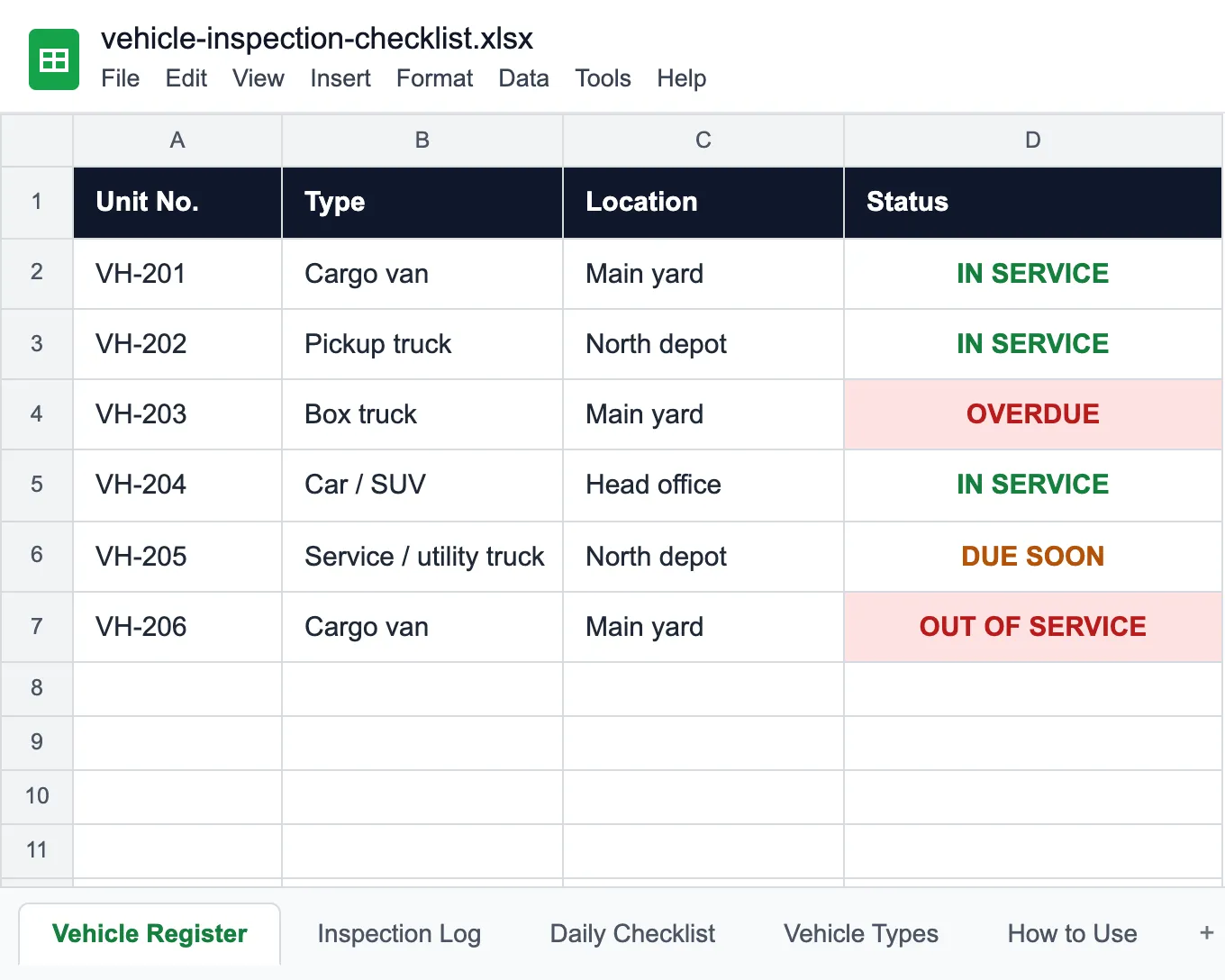
Vehicle Inspection Checklist
A daily pre-trip checklist, a defect log that keeps the vehicle parked, and service dates.
Read more: Vehicle Inspection Checklist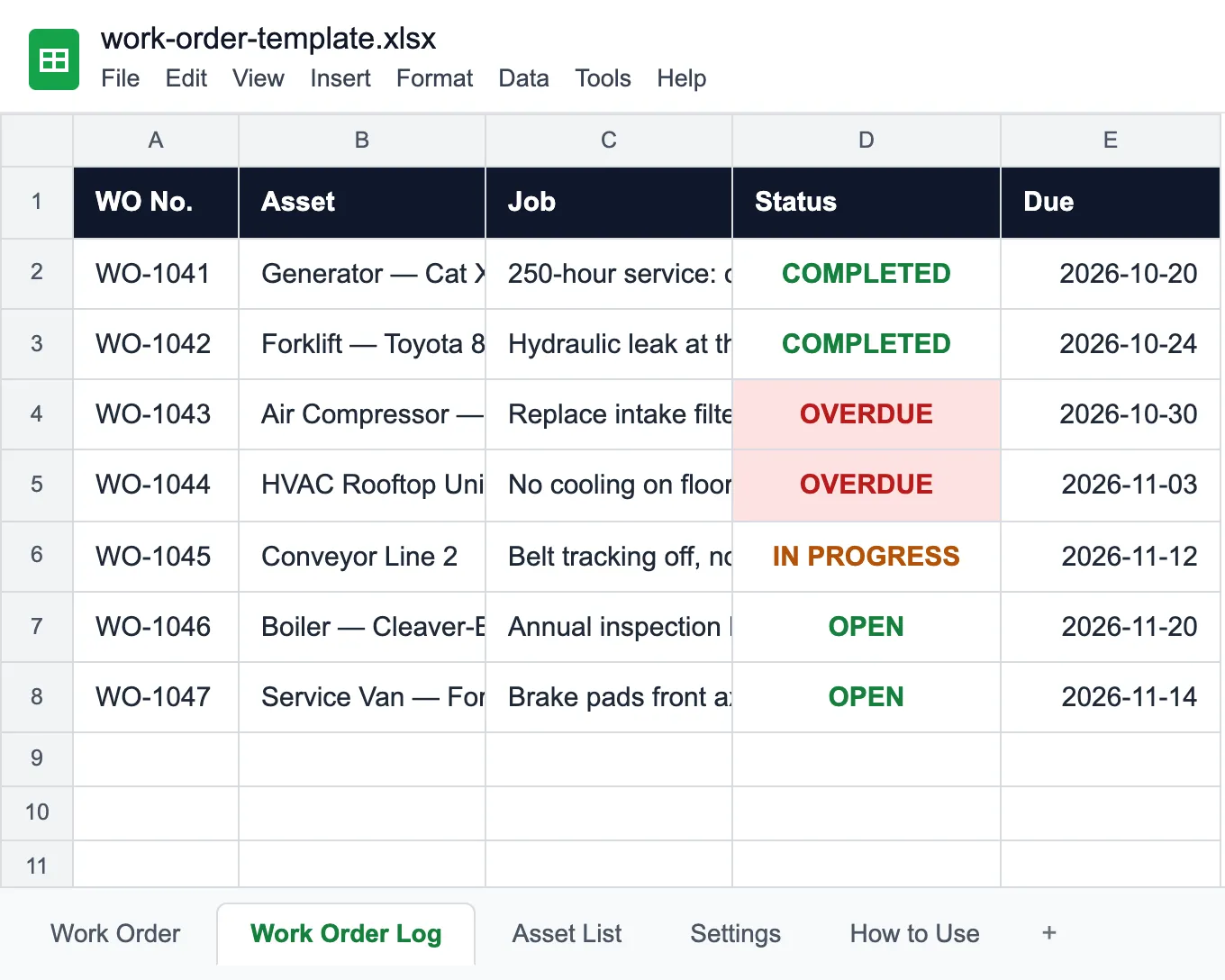
Work Order Template
A printable work order for each repair, and a log that flags the late ones.
Read more: Work Order Template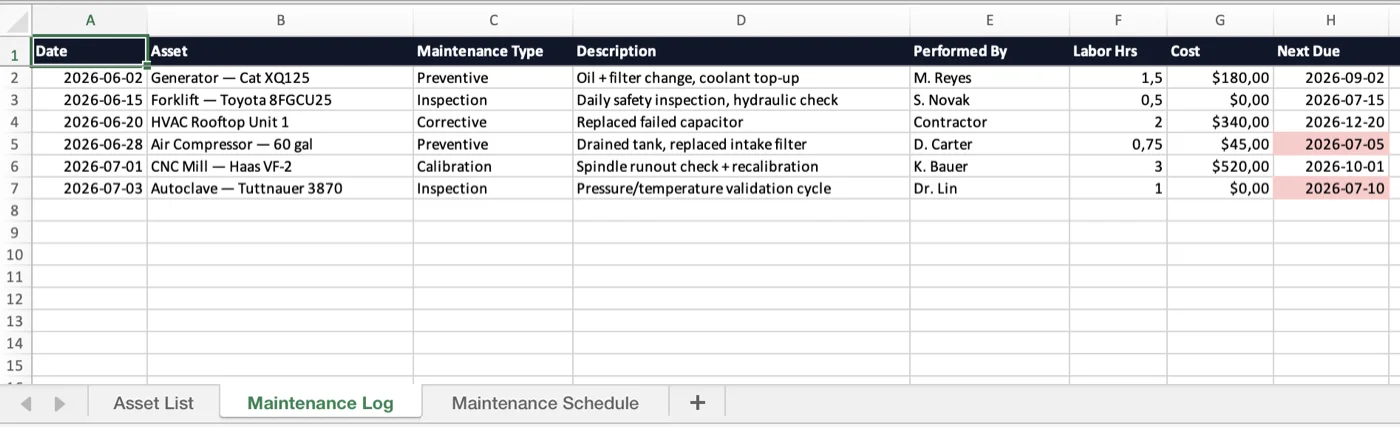
Maintenance Log Template
Service history and a preventive-maintenance schedule for equipment of any kind.
Read more: Maintenance Log Template