Free Work Order Template for Excel
A work order form to print for each job, and a log behind it where every order shows OPEN, IN PROGRESS, OVERDUE or COMPLETED by itself. Tasks, parts, hours and cost add up on the form. Works in Microsoft Excel and Google Sheets.
What is a work order template?
A work order is the instruction for one job: which asset, what is wrong or what needs doing, who does it, by when, and what it took in parts and hours. A work order template gives every job the same fields, so the technician knows what to fill in and the person who asked for the work can see what was done.
This workbook has two sides. The Work Order tab is the form: print a blank copy or fill it in on screen. Pick the asset and its ID and location fill in. List the tasks and parts, and hours, labor cost, parts cost and the total add themselves up. It ends with a sign-off for whoever did the job and whoever accepted it.
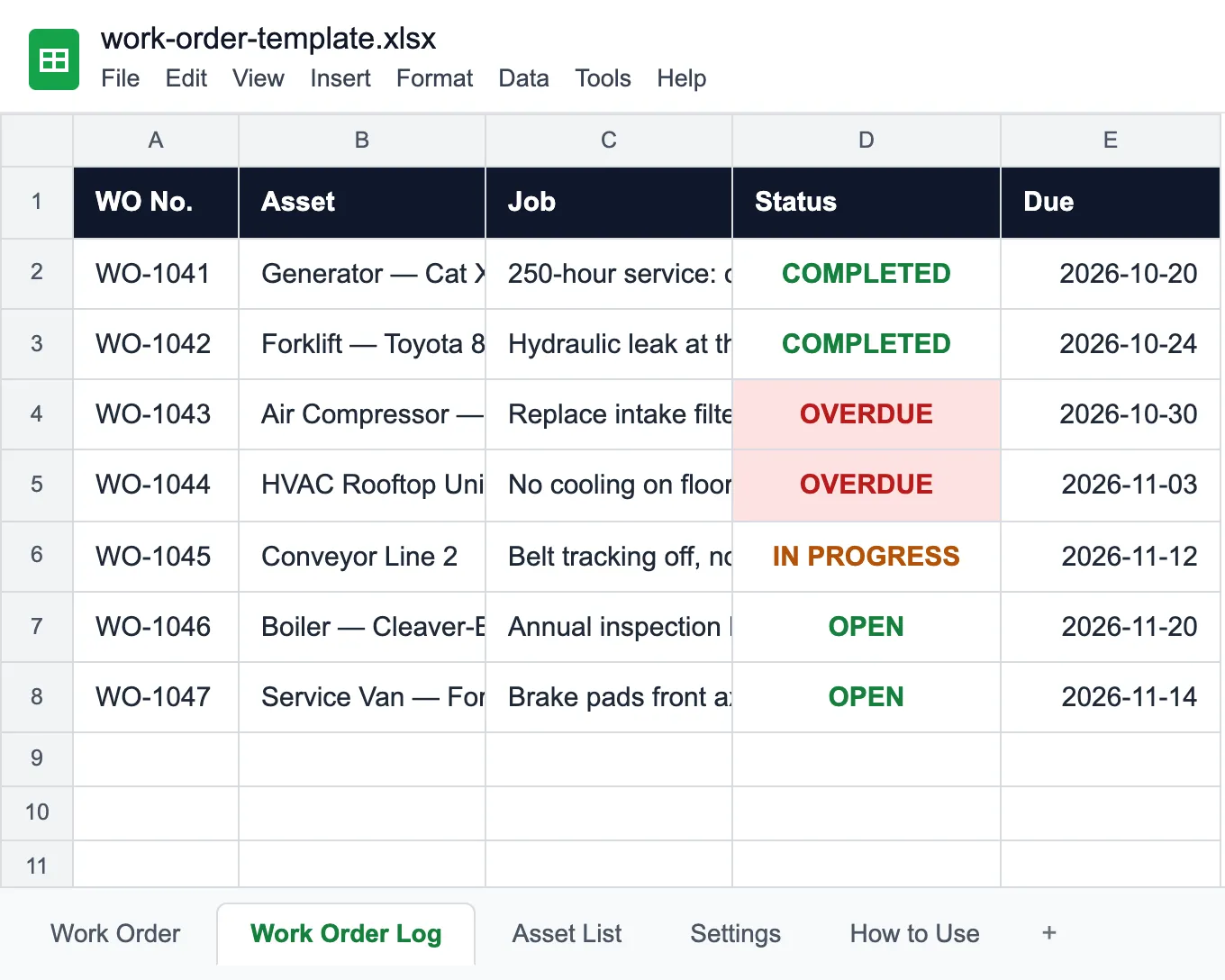
A form on its own goes in a drawer, and nobody notices that the compressor job promised for Tuesday is a week late. So the Work Order Log keeps every order on one row. Status fills itself in: OPEN until work starts, IN PROGRESS once there is a start date, OVERDUE as soon as the due date passes, COMPLETED when you enter the completion date. Filter the column and you have this week's late jobs.
Two more tabs feed the dropdowns: the Asset List with your equipment, and Settings with priorities, types of work and your technicians. Once the jobs are done, the maintenance log template keeps the service history per asset, and the equipment inventory template lists the equipment in the first place.
Who uses a work order template
Anyone who gets asked to fix something and has to show it got done.
Maintenance teams
Preventive and corrective jobs on machines, generators and compressors, with parts and hours per job.
Facilities management
HVAC, boilers, lighting and building repairs requested by tenants or staff, tracked to completion.
Fleet workshops
Brake jobs, services and repairs per vehicle, with the parts that went into each.
Manufacturing plants
Line breakdowns and planned stops on conveyors and CNC machines, ranked by priority.
Property managers
Repair requests across buildings and units, assigned to in-house staff or contractors.
IT and field service
Installations and repairs on site, signed off by the customer when the job is done.
Before you fill it in
The log says the job is open. Nobody knows who has it.
Try UNIO24 to automate work orders.
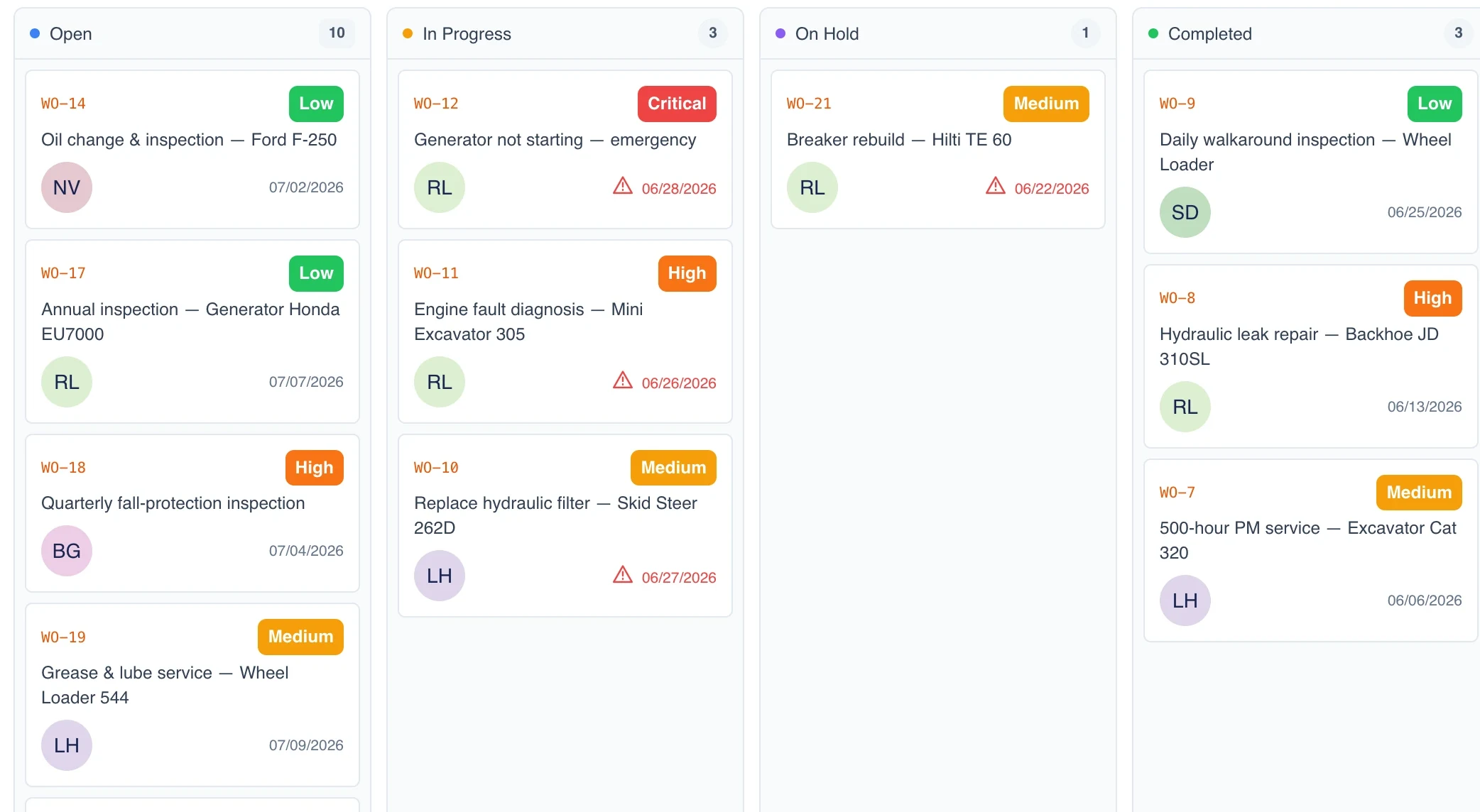
Try UNIO24 FreeIn UNIO24 every work order has an owner, a due date and a status the technician updates from the phone, so the board shows what is late right now.
| Capability | Free Template | UNIO24 FreeRecommended for busy teams |
|---|---|---|
| Opening and assigning | ||
| Work order with asset, priority and due dateThe template has the fields. UNIO24 links the order to the asset record itself. | Yes | Yes |
| Turn a request into a work orderIn the sheet someone retypes the request. In UNIO24 a ticket becomes a work order in one step. | No | Yes |
| Doing the work | ||
| Task checklist and parts usedThe form lists them on paper. UNIO24 ticks tasks off on the phone and issues parts from stock. | Partial | Yes |
| Overdue work ordersThe log marks a late order when someone opens the file. UNIO24 flags it on the board for everyone. | Partial | Yes |
| History | ||
| Every job kept on the assetIn the sheet the history is a filter on the log. In UNIO24 each asset shows its own work orders. | Partial | Yes |
| Works from anywhereWeb, iOS and Android, not just wherever the file lives | Partial | Yes |
| Full support | 1/ 6 | 6/ 6 |
Frequently Asked Questions
What comes up when you start using work orders
Is the work order template really free?
Yes. No cost, no subscription, no card. Enter your name and email and the Excel file downloads at once.
What is the difference between a work order and a maintenance log?
A work order is about one job that still has to be done: who does it and by when. A maintenance log is the history of jobs already done on each asset. You open a work order, close it when the job is finished, and the result goes into the log. This template covers the work order side; the maintenance log template covers the history.
Can I use it in Google Sheets?
Yes. Upload the .xlsx to Google Drive and open it with Google Sheets. The dropdowns, the cost formulas and the status column keep working.
What should a work order include?
At least a number, the date it was opened, who asked for it, the asset and its location, what is wrong or what needs doing, the priority, who it is assigned to and the due date. After the job: the tasks done, parts and hours used, the cost, and a sign-off. The form in this template has all of these, and the log carries the same fields one row per order.
Is a work order the same as a service request?
No. A request is someone saying something is broken or needed. A work order is the decision to do the job, with an owner, a priority and a due date. Some requests never become work orders, and planned maintenance creates work orders without any request.
When should I move from a spreadsheet to work order software?
Usually when requests arrive faster than anyone updates the file, when technicians are in the field and the form stays in the office, or when you need to see each asset's past jobs without searching the log. That is when teams move to work orders in UNIO24.
