Free Tool Sign-Out Sheet for Excel
A tool register that shows which tools are in the crib, which are out, with whom and on which job, a sign-out log that flags overdue tools and records the condition on return, and a printable sign-out sheet for the crib window. Works in Microsoft Excel and Google Sheets.
What is a tool sign-out sheet?
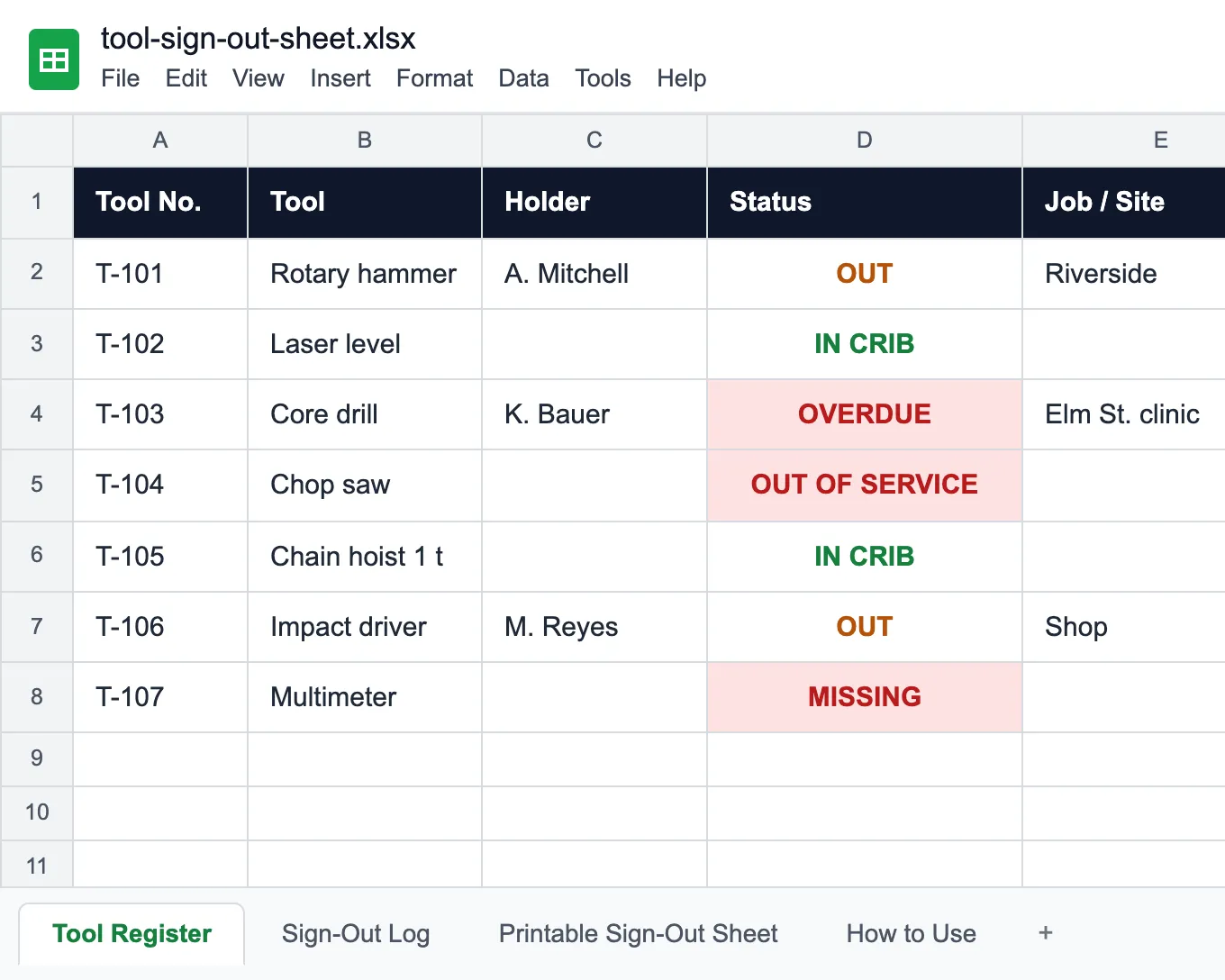
A tool sign-out sheet records every tool that leaves the tool crib, truck or gang box: which tool, who took it, for which job or site, when it is due back, and what state it came back in. On paper it shows who signed. What a crew lead needs at seven in the morning is different: which tools are out right now, on which job, and which one never came back.
This template keeps the paper sheet for signatures and adds that answer. It has four tabs:
- Tool Register. One row per tool, with its number, category, make and model, serial number and home (crib, truck, gang box). Holder, Job / Site and Status fill themselves from the log: IN CRIB, OUT, OVERDUE from the day after the due date, OUT OF SERVICE when a tool is flagged for repair, and MISSING when it cannot be found.
- Sign-Out Log. One row per sign-out: tool number (the name fills in), person, job or site, due back, condition out, and on return the date, condition and who received it. A tool that comes back Damaged is highlighted, so the crib can flag it Out of Service before anyone takes it again.
- Printable Sign-Out Sheet. Ten columns, 25 lines, landscape, for the crib window or the gang box.
- How to Use.
Number every tool and put the number on the tool itself, engraved, painted or on a tag; the register is only as good as the number on the handle. Once a month, walk the crib with the register: a tool that is IN CRIB on paper but not on the shelf is the one to mark MISSING.
For a full list of the tools you own, with value and calibration dates, use the tool inventory template; for laptops, cameras and other shared equipment, the equipment sign-out sheet.
Who uses a tool sign-out sheet
Anywhere tools leave the crib and have to come back.
General contractors and trades
Power tools moving between job sites, trucks and crews.
Plant maintenance
The tool crib: tools signed out per work order and returned at the end of the shift.
Electrical and mechanical contractors
Test equipment, core drills and pipe tools that cost more than a day of labor to replace.
Fleet and equipment rental yards
Tools that go out with a machine or a van and come back on the next shift.
Schools and training shops
Shop tools checked out to students and instructors, counted back at the end of class.
Facilities teams
The maintenance shop: ladders, drills and meters shared across buildings.
Before you fill it in
The core drill was due back Wednesday. The sheet still says OUT.
Try UNIO24 to automate tool check-outs.
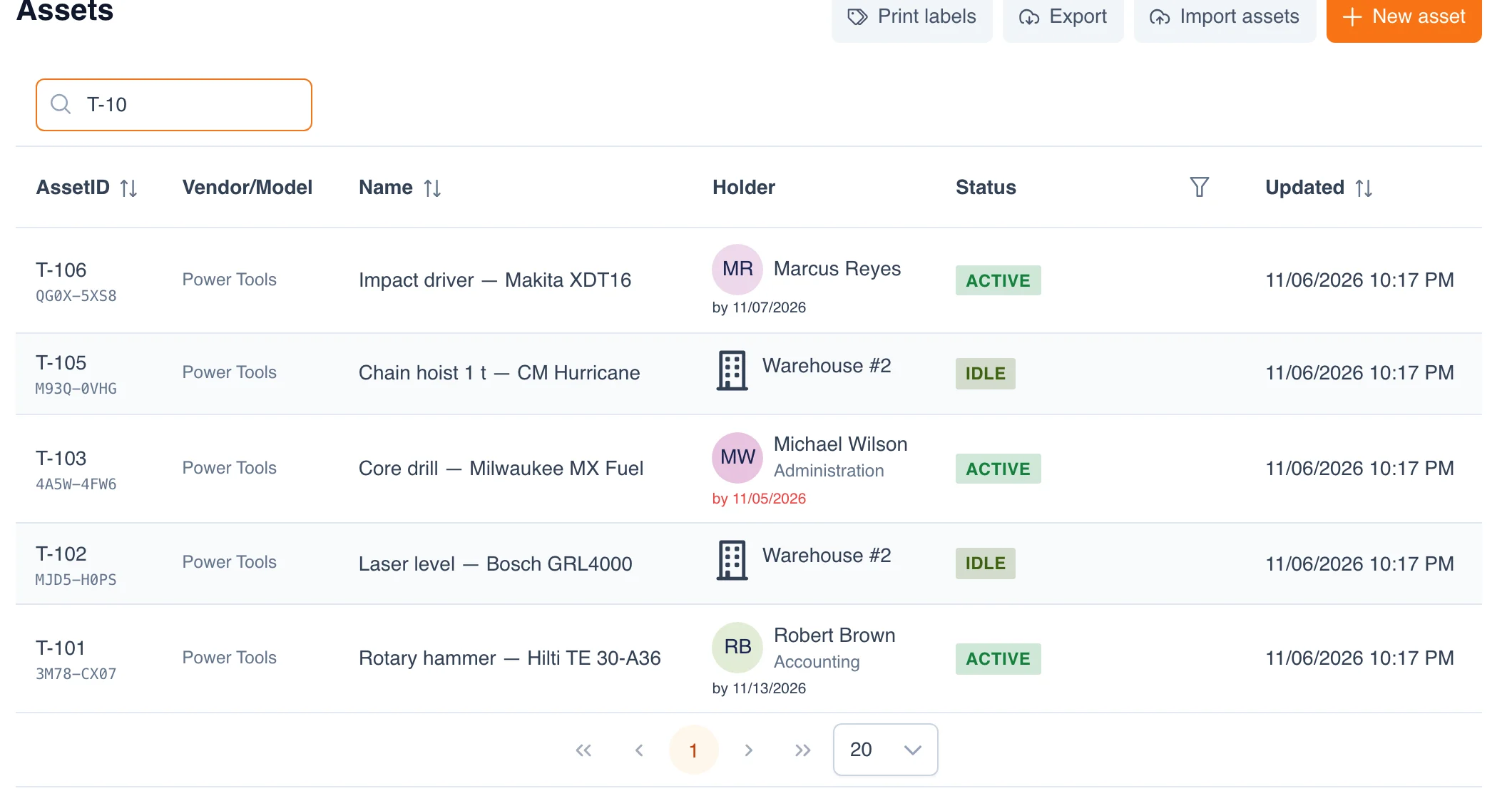
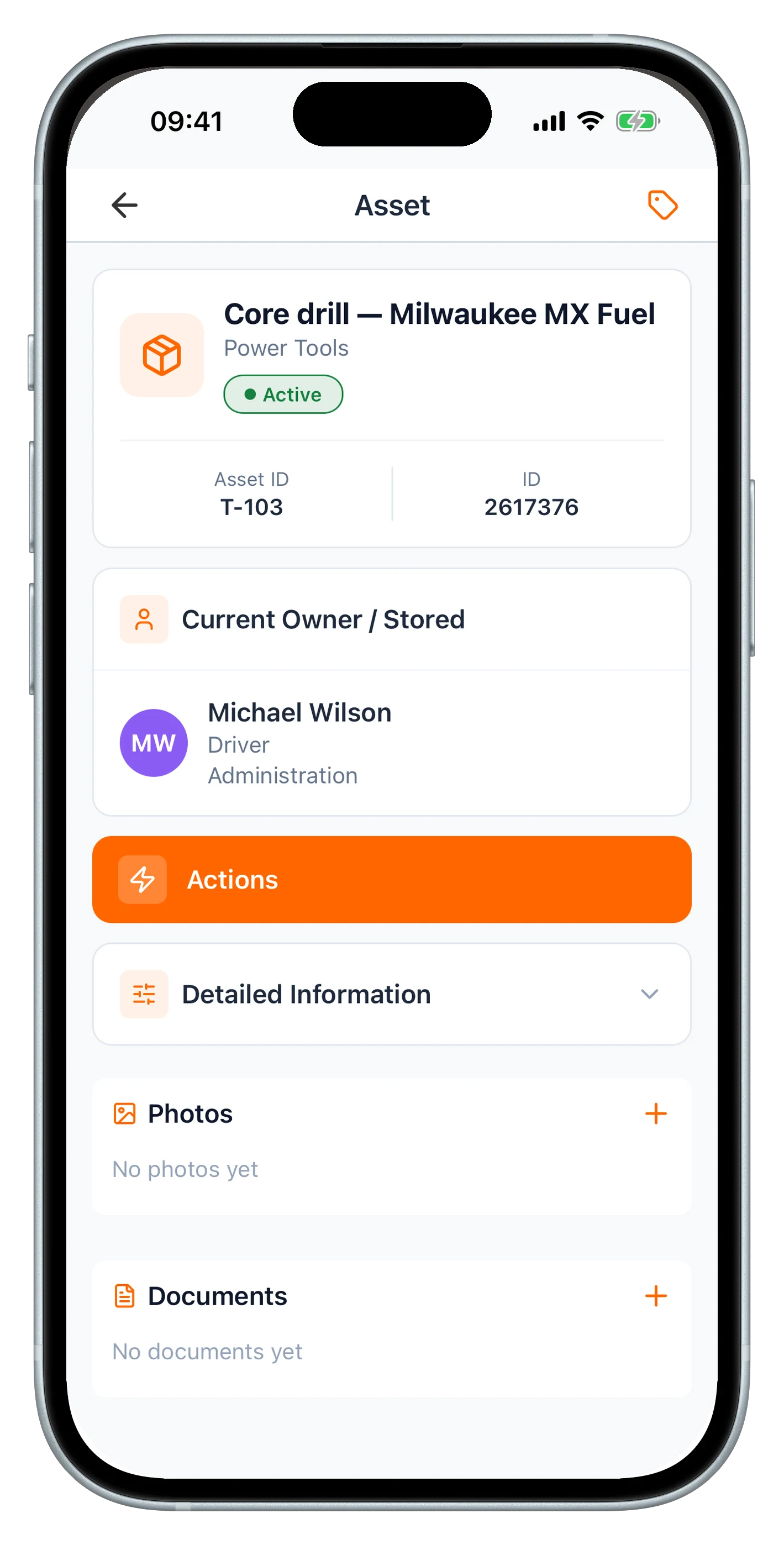
Try UNIO24 FreeA spreadsheet goes stale within days, and keeping it current takes someone's time every day. UNIO24 automates that work: every check-out and return updates the tool's record the moment it happens.
| Capability | Free Sheet | UNIO24 FreeFor crews and job sites |
|---|---|---|
| Signing tools out | ||
| Sign tools out and inThe sheet does it by hand. UNIO24 records each check-out and return with its date and the person. | Partial | Yes |
| Scan the tool on siteA QR tag on each tool; scan it on a phone to check it out, no laptop at the crib. | No | Yes |
| Knowing where tools are | ||
| Who holds each tool nowThe register works it out from the log. UNIO24 shows the holder on every tool. | Partial | Yes |
| Overdue tools flaggedBoth flag a tool past its due date. UNIO24 does it without anyone opening a file. | Partial | Yes |
| Full history per toolEvery holder and date for a tool, kept automatically | Partial | Yes |
| Data & reliability | ||
| Several cribs and sites at onceA shared sheet gets overwritten. UNIO24 handles several people live. | Partial | Yes |
| Full support | 0/ 6 | 6/ 6 |
Frequently Asked Questions
About tool sign-out sheets and this template
Is the tool sign-out sheet really free?
Yes — no cost, no subscription, no card. Enter your name and email and the Excel file downloads instantly.
How do I stop tools from walking off the job?
Number every tool on the tool itself, sign every tool out to a named person and a job, set a due date even if it is end of shift, and look at the OVERDUE list every morning rather than at the end of the month. Most losses are tools nobody noticed were missing for weeks; a daily look at what is out turns a lost tool into a phone call to the person who has it.
What is the difference between a tool sign-out sheet and a tool inventory?
The inventory is the list of what you own: every tool, its value, serial and calibration date. The sign-out sheet is the movement: who has a tool right now and when it comes back. You need the inventory once and the sign-out sheet every day; the tool inventory template covers the first.
What should a tool sign-out sheet include?
For each sign-out: the date, the tool number and name, the person, the job or site, when it is due back, the condition going out, and on return the date, condition and who received it, with a signature if you need one. For the tools themselves: a number on every tool, its category, make, model and serial, and where it lives. The template has both: the Sign-Out Log and the Tool Register.
What do I do with a tool that comes back damaged?
Record Damaged as the condition on return in the Sign-Out Log, which highlights the row, then set Out of Service to Yes on the Tool Register so the status reads OUT OF SERVICE and nobody takes it again. Clear the flag when it is back from repair. If someone else had it before the damage was noticed, the log shows who.
When should I move from a sign-out sheet to software?
Usually when tools move between several sites and trucks, when the crib sheet and the spreadsheet stop matching, or when nobody can say which tools are out at the start of a job. At that point crews tag the tools and check them out by scan with check-in / check-out in UNIO24.
