Free Scaffold Inspection Checklist for Excel
A shift inspection sheet for the competent person, a log that keeps a red-tagged scaffold out of use until it's fixed, and a register that shows which scaffolds are cleared for today. Works in Excel and Google Sheets.

What a scaffold inspection covers
OSHA 1926.451(f)(3) sets the clock: scaffolds and scaffold components are inspected for visible defects by a competent person before each work shift, and again after anything that could affect the structure, such as high winds, an impact, or a modification. That's a daily job on most sites, not a monthly one.
The Shift Inspection Checklist prints one sheet per scaffold per week, and the competent person initials each day before work starts:
- Foundation and structure: base plates and mudsills on firm, level footing; plumb, level and square; cross braces, ties and guys in place and tight; no damaged or missing components; casters locked on a rolling scaffold.
- Platforms and protection: platforms fully planked with sound planks, guardrails and toeboards in place, safe access by ladder or stair tower (not by climbing the braces), clear of power lines, and platforms cleared of debris and ice.
- Status: the tag at the access point matches today's inspection.
Anything that fails means the scaffold is tagged Do Not Use at the access point until it's fixed and inspected again.
Which scaffolds are cleared today
On a site with a dozen scaffolds, the question at 7 a.m. is simple: which ones has the competent person been through, and which one is red-tagged. The tags answer it on the scaffold. The workbook answers it from the site office.
Inspection Log. One row per inspection with PASS or FAIL. There are separate types for the shift inspection, the inspection after erection or modification, and the inspection after an occurrence like high winds. A FAIL stays an OPEN DEFECT until the repair date is entered.
Scaffold Register. One row per scaffold, with its type, location and size. It reads the log and shows DO NOT USE while a defect is open, INSPECT BEFORE USE when nothing has been logged today, and INSPECTED TODAY once today's inspection has passed. The Scaffold Types tab lists what to watch on each type: frames, system scaffold, tube and coupler, rolling, suspended, pump jack.
The file doesn't replace the competent person or the scaffold design. It keeps the record of who looked, when, and what they found. For the ladders on the same site, the ladder inspection checklist does the same job, and the incident report template covers what happens when something goes wrong.
Who uses a scaffold inspection checklist
The competent person on site, and the manager who needs to see the result without walking every lift.
General contractors
Several scaffolds from several subcontractors, checked every shift.
Scaffold contractors
Erection, modification and hand-over inspections recorded per scaffold.
Masonry, painting & facade trades
Frame and pump jack scaffolds that move along the building.
Industrial maintenance & shutdowns
Tube and coupler scaffolds around plant, inspected before every shift.
Facilities teams
Rolling scaffolds used indoors for lighting, HVAC and ceilings.
Safety managers
One view of every scaffold across sites, with the defects still open.
Spreadsheet or UNIO24 — what fits your site?
The workbook is enough when one person inspects a few scaffolds. Across sites, the office needs today's status without phoning around.
| Capability | Free Template | UNIO24 FreeRecommended for multi-site teams |
|---|---|---|
| Inspections | ||
| Shift inspection checklistThe template prints a weekly sheet per scaffold. UNIO24 runs it on the competent person's phone. | Partial | Yes |
| Proof the scaffold was inspected todayA QR scan records the scaffold, the time, and the inspector. | No | Yes |
| Photos of defectsThe missing toeboard or loose tie, attached to the record. | No | Yes |
| Status | ||
| Cleared today / do not useBoth show it. UNIO24 updates it the moment the inspection is submitted. | Partial | Yes |
| Repair raised from a failed inspectionAssigned to the scaffold contractor with a due date. | No | Yes |
| Data & reliability | ||
| Several sites and inspectors at onceA shared file gets overwritten. UNIO24 handles simultaneous users across sites. | Partial | Yes |
| Full history per scaffoldEvery inspection, defect, and modification kept together | Partial | Yes |
| Full support | 0/ 7 | 7/ 7 |
Frequently Asked Questions
About scaffold inspections and the template
Is the scaffold inspection checklist free?
Yes. No cost, no subscription, no card. Enter your name and email and the Excel file downloads straight away.
Who is allowed to inspect a scaffold?
A competent person: someone who can identify hazards on the scaffold and has the authority to fix them or stop work. The template records who inspected; it does not decide who is competent.
Why does every scaffold say INSPECT BEFORE USE when I open the file?
Because the status resets each day: a scaffold is only cleared once today's inspection is logged with a PASS. That is the point of the register. Log the morning inspections and the statuses change to INSPECTED TODAY.
How often does a scaffold need to be inspected?
Before each work shift, and after any occurrence that could affect its structural integrity, under OSHA 1926.451(f)(3). High winds, an impact, or a modification all count as occurrences.
What do scaffold tags mean?
Tagging systems vary by company, but the common one is green for safe to use, yellow for use with conditions such as a harness, and red for do not use. OSHA does not require a specific color system; it requires the inspection. The checklist includes a line to confirm the tag matches today's result.
Does it work for rolling and suspended scaffolds?
Yes. Both are types on the Scaffold Types tab, with notes on what to watch: caster locks and base ratio for rolling scaffolds, rigging, anchorages and lifelines for suspended ones.
More templates for equipment that needs checking
The same register idea, applied to the rest of the site.
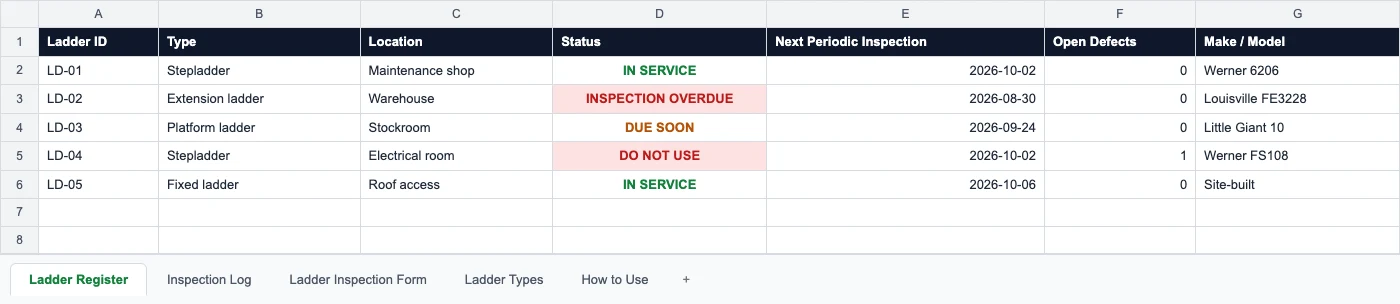
Ladder Inspection Checklist
An inspection form per ladder and a register that keeps defective ladders out of use.
Read more: Ladder Inspection Checklist
Crane Inspection Checklist
Pre-shift checks and monthly and annual inspections for cranes and hoists.
Read more: Crane Inspection Checklist
Incident Report Template
A printable incident report form and a log that tracks each corrective action to closure.
Read more: Incident Report Template