Free Incident Report Template for Excel
A printable incident report form for each injury, near miss, or damaged piece of equipment, and a log behind it that follows every corrective action until it's done. Works in Microsoft Excel and Google Sheets.

What goes into an incident report
An incident report is the written record of something that went wrong at work: someone got hurt, nearly got hurt, or a machine, vehicle, or piece of property got damaged. It's written the same day, by the person involved or their supervisor, while people still remember the order things happened in.
The Incident Report Form tab in this workbook prints on one page and has eight parts:
- Report number, who is reporting, and when.
- What happened: type, severity, date, time, location, and a description written in order.
- The people involved, whether anyone was injured, and the treatment they got.
- The equipment, vehicles, or property involved, with the asset tag and whether it was taken out of service.
- Witnesses and whether a statement was taken.
- The immediate action (first aid, area made safe, machine isolated) and the root cause.
- Corrective actions, each with an owner and a due date.
- Sign-off by the reporter, the supervisor, and whoever is responsible for safety.
Part 4 is the one generic templates usually squeeze into a single "property damage" line. When a pallet truck hits the racking, the report is as much about the truck and the upright as about the driver, and the asset tag is what lets you find out later that the same truck has been in three reports this year.
Why the log matters more than the form
Most free incident report templates stop at the form. You fill it in, someone signs it, it goes in a folder. The corrective action agreed in part 7, "fit an end protector to the rack at dock 1", then depends on somebody remembering it.
The Incident Log is there to stop that. Each report becomes one row, and the Action Status column fills itself in. It shows NO ACTION SET while the report has no corrective action written against it, OPEN until the action is done, OVERDUE once the due date has passed, and CLOSED when you enter the date it was completed. Sort by that column on a Monday and the list of things nobody has done yet is at the top.
The Summary tab counts incidents by type and severity, people injured, working days lost, and open and overdue actions, straight from the log. Log near misses too. A near miss costs nothing to record, and it's the cheapest warning you'll get before the same thing happens with someone standing in the way. A log that only ever records injuries tells you where people got hurt. It doesn't tell you where they're about to.
Who uses an incident report template
Anyone who is the named person when something goes wrong on site, whether or not safety is their full-time job.
Warehouses & logistics
Forklift and pallet-truck incidents, racking strikes, and near misses at aisle ends.
Construction sites
Injuries, damaged plant, and near misses across sites, with the corrective actions followed up.
Manufacturing
Machine guarding, spills, and lost-time injuries, with the equipment involved tagged in every report.
Fleet & field service
Vehicle incidents and damage reported by drivers and technicians away from the office.
Schools & facilities
Slips, trips, and property damage, recorded by a caretaker or office manager.
Healthcare & labs
Equipment faults and near misses alongside the clinical reporting system you already use.
Spreadsheet or UNIO24 — what fits your team?
The workbook is enough when one person handles every report. When reports come from several sites, a shared file starts losing them.
| Capability | Free Template | UNIO24 FreeRecommended for multi-site teams |
|---|---|---|
| Reporting | ||
| Incident report formThe template gives a printable form to copy into the log. UNIO24 takes the report on a phone, on the spot. | Partial | Yes |
| Photos of the scene and the damageA spreadsheet cannot hold them. UNIO24 attaches them to the report. | No | Yes |
| Link to the equipment involvedThe template records an asset ID by hand. In UNIO24 scanning the tag links the report to the asset and its history. | Partial | Yes |
| Follow-up | ||
| Corrective action trackingThe log flags open and overdue actions. UNIO24 assigns each one as a ticket and notifies the owner. | Partial | Yes |
| Repair work order for damaged equipmentRaised from the report, with parts, time, and cost recorded against the asset. | No | Yes |
| Data & reliability | ||
| Several people reporting at onceA shared file gets overwritten. UNIO24 handles simultaneous users across sites. | Partial | Yes |
| Full history per asset and per siteEvery incident, repair, and inspection kept together and never overwritten | Partial | Yes |
| Full support | 0/ 7 | 7/ 7 |
Frequently Asked Questions
About writing incident reports and using the template
Is the incident report template free?
Yes. No cost, no subscription, no card. Enter your name and email and the Excel file downloads straight away.
What is the difference between an incident and an accident?
An accident is an incident where someone was hurt or something was damaged. Incident is the wider word and covers near misses too, where nothing was hurt or broken but easily could have been. Report both on the same form; the Type column separates them in the log.
How soon should an incident report be written?
The same day, and before the end of the shift if you can. Details like the order things happened in, who was standing where, and what the machine was doing fade within a day or two. The root cause and corrective actions can be added once you have looked into it.
Is there a Word version of the incident report template?
The file is Excel (.xlsx), which also opens in Google Sheets. The form tab prints on one page like a Word form, and you can save it as a PDF. We kept it in Excel so every report can sit in the log next to the others, which a folder of Word documents cannot do.
Should near misses be reported?
Yes. A near miss is the same chain of events as an injury with one piece of luck in it. They cost nothing to record, and in most workplaces there are far more of them than injuries, so they show a pattern long before anyone gets hurt.
Does this template meet OSHA requirements?
It is an internal incident record. US employers covered by OSHA recordkeeping still need Forms 300, 300A, and 301 (or an equivalent that contains the same information) for recordable injuries. The form here covers the description, the injury, and the equipment, but not the employee and treatment details the 301 asks for, so use it alongside the official form rather than instead of it.
More templates for keeping equipment safe
Most incidents with equipment start with a check that was missed.
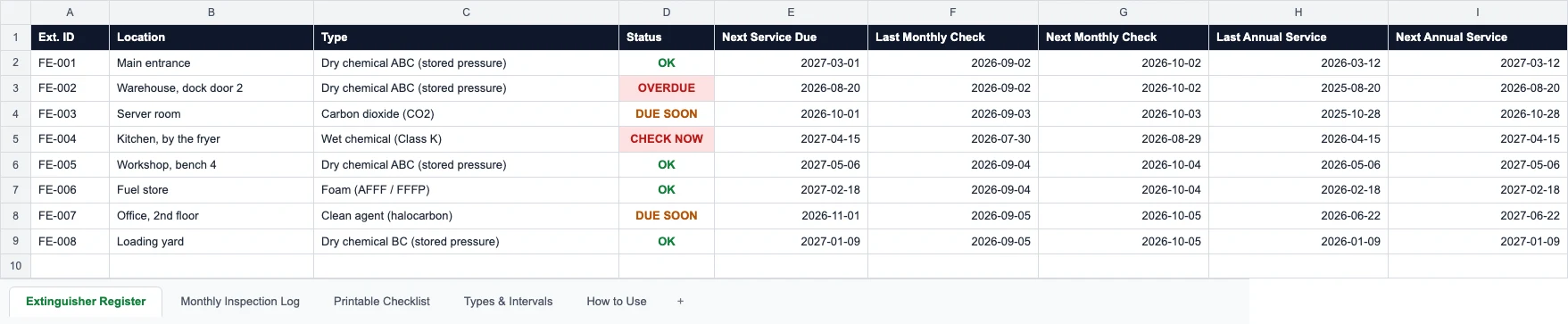
Fire Extinguisher Inspection Checklist
A monthly walk-round checklist and a register of annual service, six-year maintenance, and hydro test dates.
Read more: Fire Extinguisher Inspection Checklist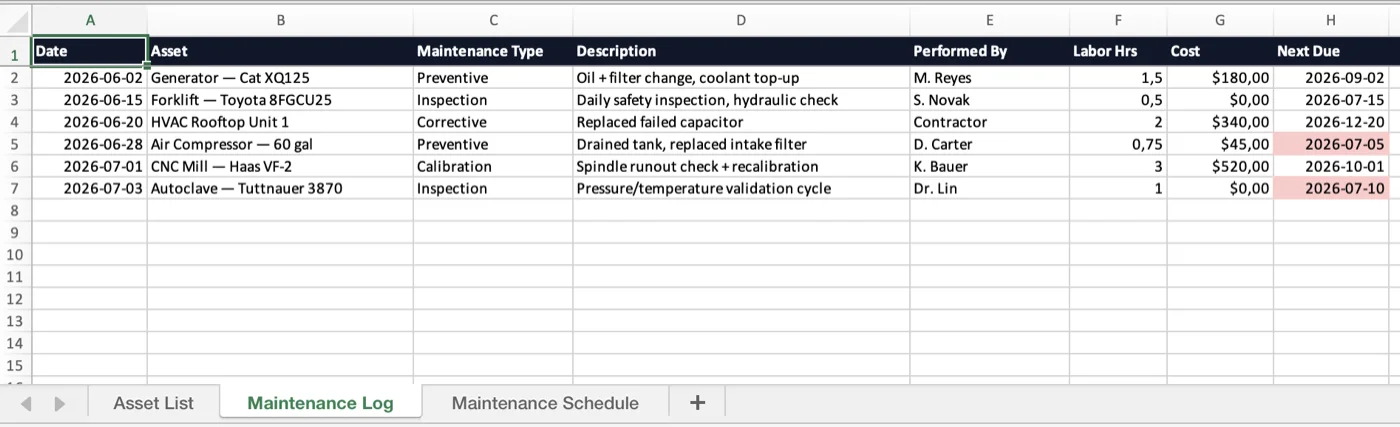
Maintenance Log Template
Service history and a preventive-maintenance schedule for any equipment, with overdue flags.
Read more: Maintenance Log Template
Asset Tagging Best Practices: A Practitioner's Guide
Label types and placement, so the equipment in a report can be identified from its tag.
Read more: Asset Tagging Best Practices: A Practitioner's Guide