Free Heavy Equipment Inspection Checklist for Excel
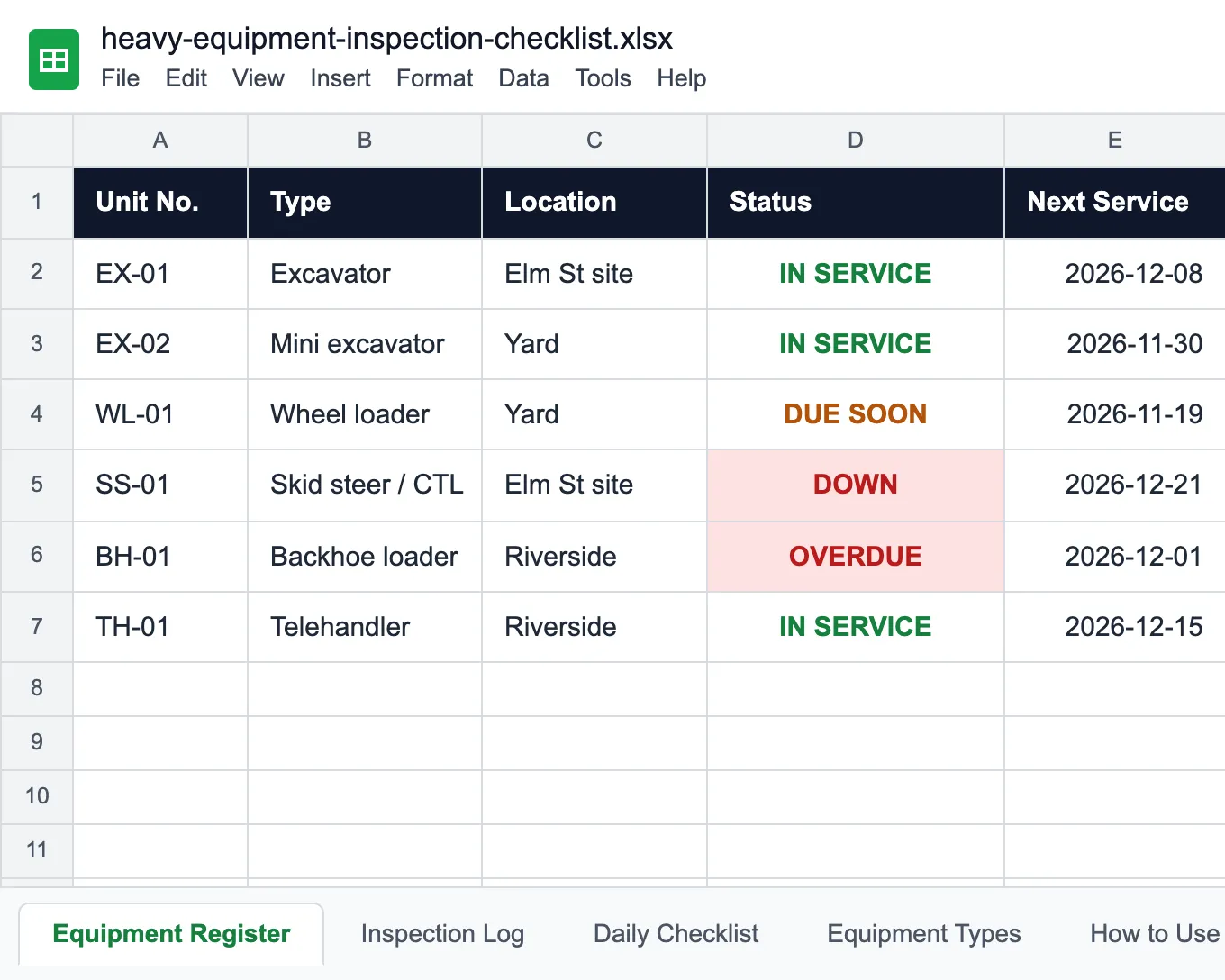
A daily pre-start checklist the operator fills in before the first start of each shift, plus the log and register behind it: a machine with a reported defect stays DOWN until the repair is entered, and services and annual inspections show OVERDUE or DUE SOON. Works in Microsoft Excel and Google Sheets.
What a heavy equipment inspection checklist covers
The daily inspection is the operator's check before the first start of the shift: a walk-around with the engine off, the fluid levels, then the cab and controls with the engine running. Workplace safety rules require machines to be checked before use and defects that affect safe operation to be fixed before the machine runs again. The checklist is how a weeping hose or a loose coupler pin gets caught in the yard instead of under a load.
The Daily Checklist prints one sheet per machine per week, a column per day:
- Walk-around (engine off): tracks or tires and wheel nuts, undercarriage, bucket, teeth and pins, the quick coupler and its locking pin, hydraulic hoses and cylinders, boom, arm and frame, steps, handholds and guards, leaks under the machine.
- Fluids: engine oil, hydraulic oil, coolant, fuel and DEF, grease points.
- Cab and controls (engine on): seat belt and ROPS/FOPS cab, gauges and warning lights, brakes, steering and travel controls, hydraulic functions, horn, travel alarm and backup camera, lights and beacon, windows and mirrors, the fire extinguisher.
A sheet records that someone looked. It cannot keep a skid steer with a leaking hose parked tomorrow. So the workbook keeps the record behind it:
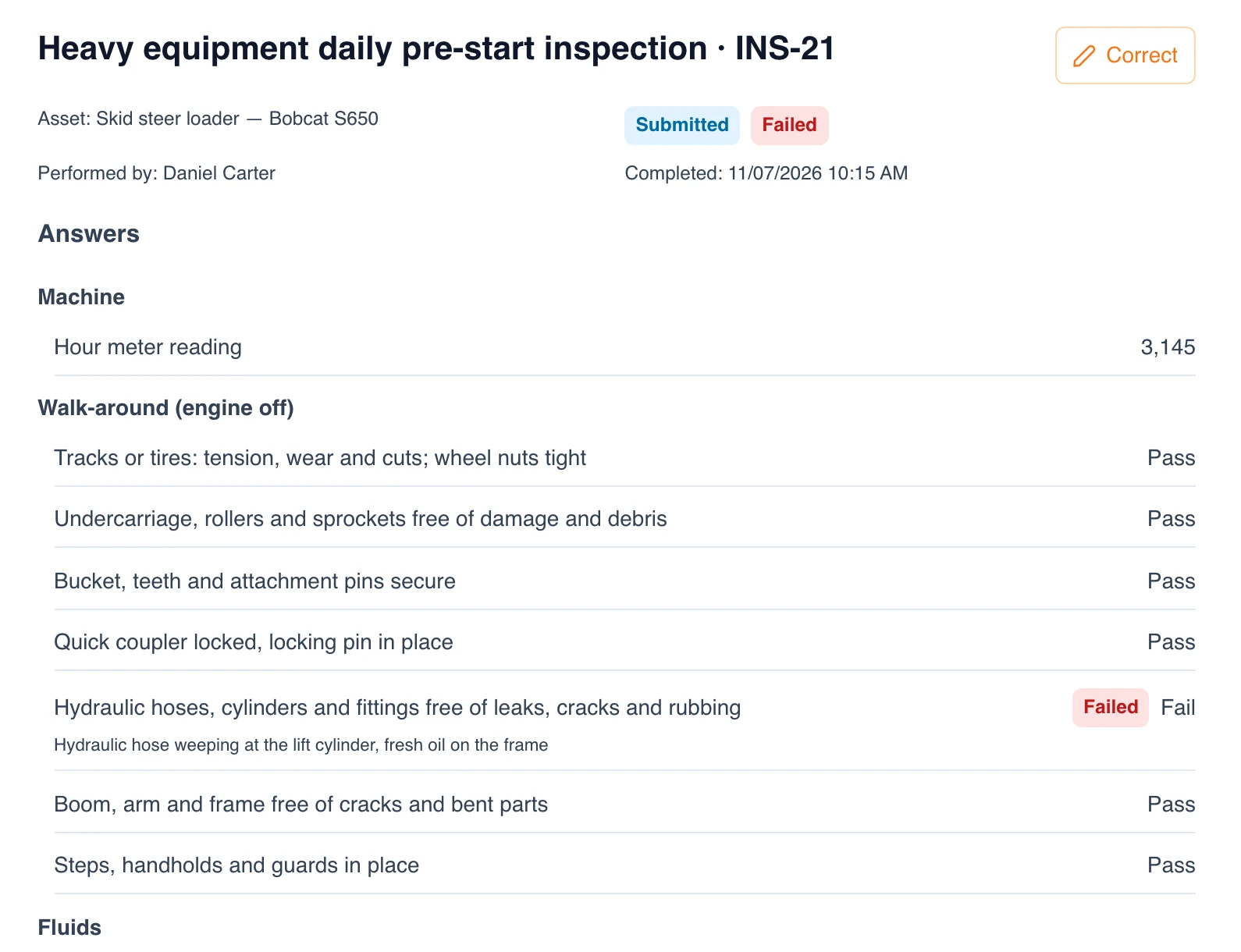
Inspection Log. One row per defect, service, annual inspection or repair, with PASS or FAIL. A FAIL stays an OPEN DEFECT until the repair date is entered.
Equipment Register. One row per machine, with type, location, make and model, serial number and hour meter. It reads the log, shows DOWN while a defect is open, and runs two clocks: the service interval per machine type from the Equipment Types tab (three months for excavators, loaders, skid steers, backhoes, dozers and telehandlers, six for rollers, all editable) and the 12-month annual inspection, which also counts as a service. Most makers set service by hour meter, often every 250 hours; the months are a stand-in you set to match how fast your machines reach it. Status reads OVERDUE when either clock runs out, DUE SOON two weeks before a service or a month before the annual, and IN SERVICE otherwise.
For forklifts, cranes and trucks, use the forklift inspection checklist, the crane inspection checklist and the vehicle inspection checklist; the maintenance log template keeps the full service history of each machine.
Who uses a heavy equipment inspection checklist
Operators do the daily check. The equipment manager and the shop need the rest.
General contractors
Excavators, loaders and telehandlers moving between job sites.
Excavation and site work
Dozers, backhoes and rollers working long shifts in the dirt.
Landscaping and hardscape
Skid steers and mini excavators shared by several crews.
Equipment rental yards
Machines checked out and back in, inspected before every rental.
Municipal public works
Loaders, backhoes and graders run by street and utility crews.
Equipment shops
Defects to repair, services by hour meter and annual inspections across the fleet.
Before you fill it in
The skid steer with the leaking hose went out again this morning.
Try UNIO24 to automate heavy equipment inspections.
Try UNIO24 FreeA spreadsheet goes out of date within days, and keeping it current takes someone's time every day. UNIO24 automates that work: each inspection, defect and repair updates the machine's record as it happens.
| Capability | Free Template | UNIO24 FreeRecommended for growing fleets |
|---|---|---|
| Inspections | ||
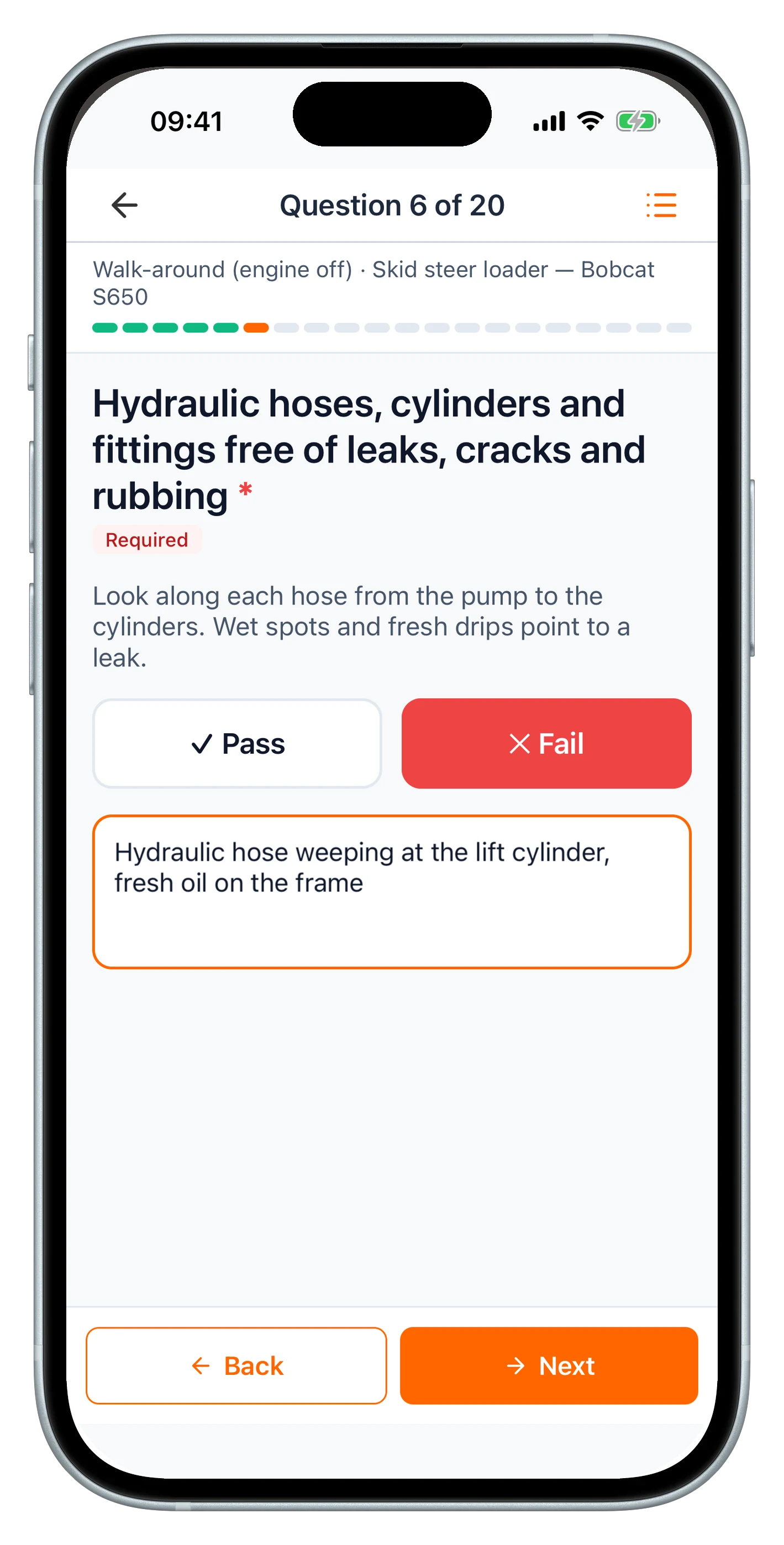
| Daily pre-start checklistThe template prints a weekly sheet per machine. UNIO24 runs your checklist on the operator's phone. | Partial | Yes |
| Photos of the damageThe leaking hose or the cracked bucket, attached to the inspection. | No | Yes |
| Defects and due dates | ||
| Keep a machine with a defect parkedThe register shows DOWN from the log. UNIO24 records the defect and can turn it into a repair work order. | Partial | Yes |
| Service and annual inspection datesBoth track them. UNIO24 also schedules the next inspection. | Partial | Yes |
| Data & reliability | ||
| Many operators and sites at onceA shared file gets overwritten. UNIO24 handles simultaneous users. | Partial | Yes |
| Full history per machineEvery inspection, defect, repair and service kept on the machine | Partial | Yes |
| Full support | 0/ 6 | 6/ 6 |
Frequently Asked Questions
About equipment inspections and the template
Is the heavy equipment inspection checklist free?
Yes. No cost, no subscription, no card. Enter your name and email and the Excel file downloads instantly.
Who should do the daily inspection?
The operator who runs the machine that shift, before the first start. They know how it should sound and feel, and they are the one at risk if something fails. The shop or a qualified mechanic does the service and the annual inspection, and decides when a defect is fixed.
How do I plan service by hour meter in a spreadsheet?
Write the hour meter on the daily sheet each week and in the register. The Equipment Types tab sets the service interval in months as a stand-in: if an excavator does about 250 hours in three months, three months it is. When the hour meter reaches the maker's interval before the date, log the service anyway; the register restarts the clock from that date.
What should a daily equipment inspection include?
A walk-around with the engine off (tracks or tires, undercarriage, bucket and pins, coupler, hydraulic hoses and cylinders, frame, steps and guards, leaks), the fluid levels, then the cab with the engine running (seat belt, ROPS, gauges, brakes and steering, hydraulic functions, alarms, lights, mirrors, extinguisher). Add the hour meter so services can be planned. The Daily Checklist tab has all of it on one weekly sheet.
What happens when an item fails?
If it affects safe operation (brakes, steering, hydraulics, the seat belt, the coupler, a cracked boom), the machine is tagged out and does not run until it is repaired. Log the defect as a FAIL in the Inspection Log; the register shows the machine as DOWN until the repair date is entered. Minor items, such as a dirty mirror, are fixed on the spot and noted.
Does it work for forklifts and cranes?
You can add them as types, but both have dedicated templates with their own checks and inspection rules: the forklift inspection checklist and the crane inspection checklist.
More templates for fleet and field equipment
The same register idea, applied to the rest of the yard.
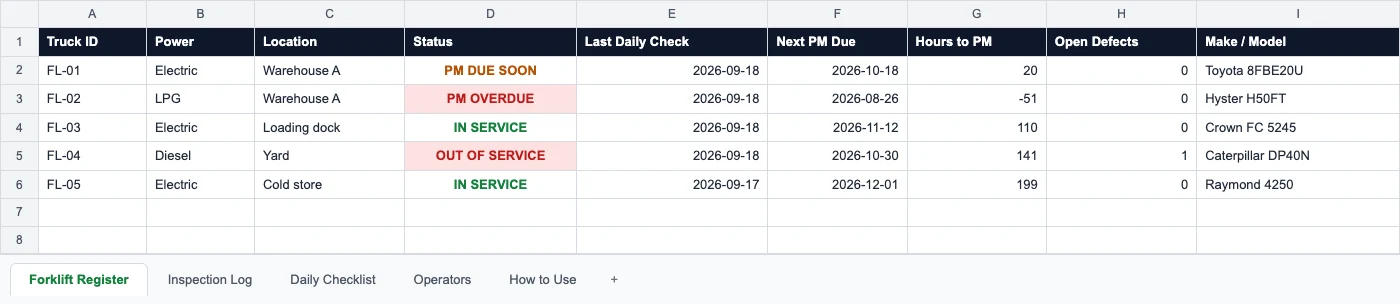
Forklift Inspection Checklist
A pre-shift checklist per truck and a log that keeps a failed forklift out of service.
Read more: Forklift Inspection Checklist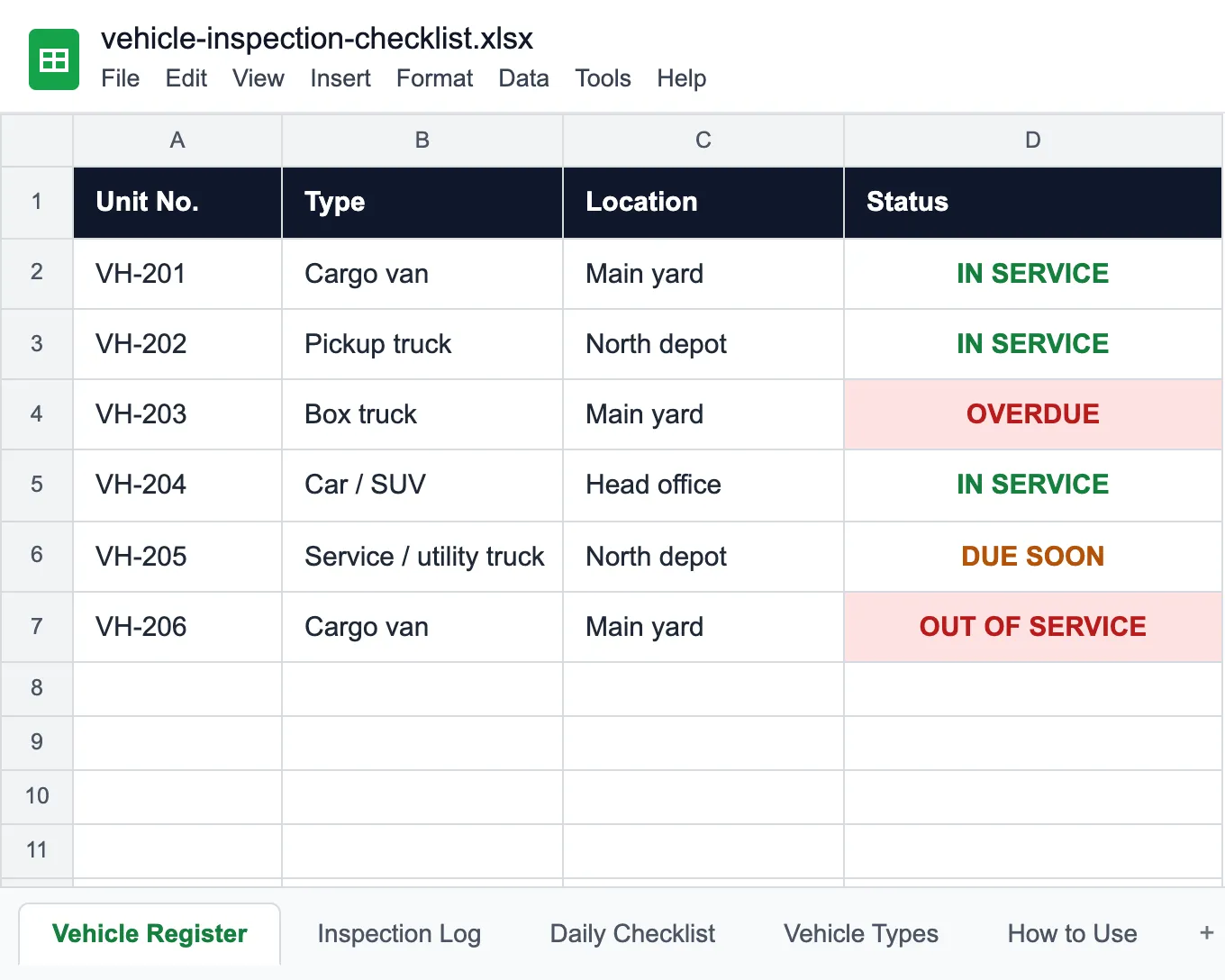
Vehicle Inspection Checklist
Daily pre-trip checks, a defect log and service and annual inspection dates per vehicle.
Read more: Vehicle Inspection Checklist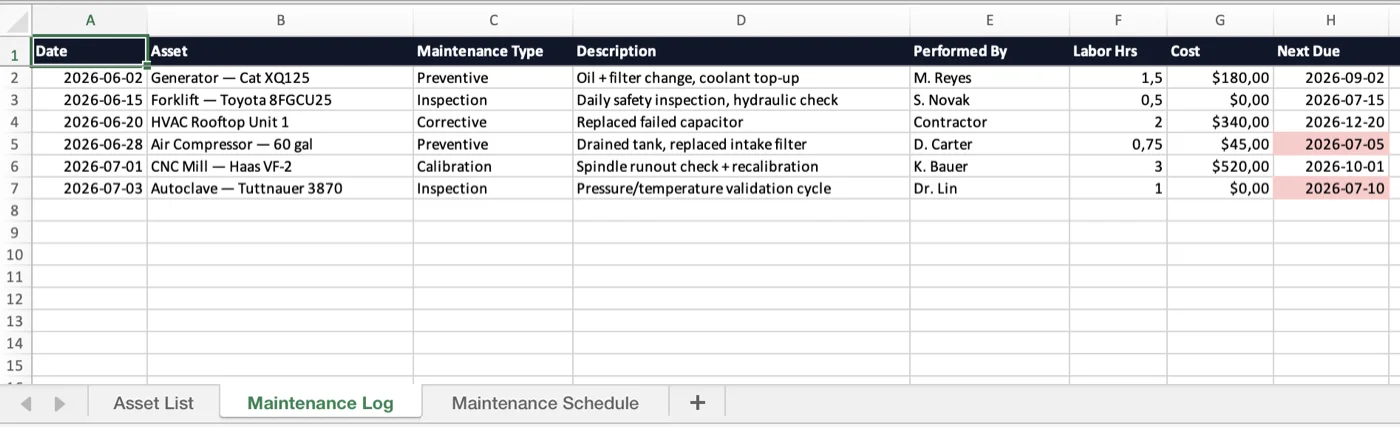
Maintenance Log Template
Service history and a preventive-maintenance schedule for vehicles and equipment.
Read more: Maintenance Log Template