Asset Data Migration & Cleansing: Step-by-Step Guide
Learn how to clean, prepare, and migrate asset data to a new tracking system. Step-by-step guide with best practices, common mistakes, and a real case study.
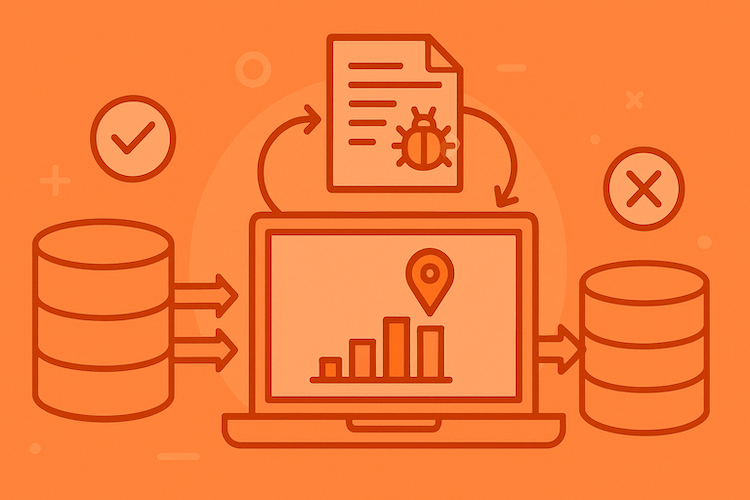
The hardest part about transitioning to a modern asset tracking system isn't choosing the platform or setting up the equipment. It's the data: those same Excel spreadsheets your colleague maintained five years ago, paper logs from the archives, and the database in your ERP where half the entries are labeled "Miscellaneous Equipment."
I've seen both extremes: companies that spent three months preparing their data for migration, and those that decided to "just upload everything as is." The second approach never works. Every shortcut taken with data quality compounds into months of cleanup later, and the new system inherits all the trust problems of the old one.
At a Glance: Asset Data Migration Quick Reference
Before the deep-dive, here's what a real migration looks like from decision to done:
| Phase | Duration | What actually happens | Common gotcha |
|---|---|---|---|
| Audit source data | 3–7 days | Catalogue every spreadsheet, ERP export, paper log. Identify owners and refresh dates. | Nobody knows who owns half the files. |
| Cleanse & deduplicate | 1–3 weeks | Fix duplicates, standardise naming, archive obsolete records. 60–70% of total migration time. | Underestimated by 2–3× every time. |
| Map fields to target | 3–5 days | Document every source → target mapping. Resolve conflicts. | Source has fields target doesn't, or vice versa. |
| Pilot migration | 3–5 days | Migrate 50–200 assets. Validate with real users. | Skipped "to save time". Costs weeks later. |
| Full migration | 1–3 days | Run the migration. Compare row counts and totals. | Running full before fixing pilot issues. |
| Post-migration validation | 2 weeks | Users check records, fix last-mile issues, sign off. | Marking it "done" before users touch data. |
Total for a clean migration (2 000 assets): 4–6 weeks. For 10 000+ assets or messy sources: 3–9 months. The cleansing phase always takes longer than expected. Plan for it.
Why Asset Data Migration Isn't Just "Moving a Spreadsheet"
Let's be honest: many people underestimate the data migration stage. It seems like a technical formality: take the old records, import them into the new system, done. In practice, though, poor migration becomes a ticking time bomb.
What actually happens when you migrate dirty data:
Duplicates compound. Three laptops in your database with asset tag "NB-001," and nobody knows which one is real. Try finding that specific device for maintenance later. You can't.
History disappears. You've migrated the assets but not the information about repairs, moves, or assignments. The new system shows a printer as "like new" when it's actually been in for repairs three times in the last six months.
Categories turn into chaos. In the old system the same equipment was called different things: "laptop," "Notebook," "portable computer," "mobile workstation." After migration you have four categories instead of one, and reports become useless.
I've seen a company that spent two months after migration trying to figure out why the system showed 347 assets when there were actually 280 pieces of equipment. It turned out that when transferring data from three different sources, duplicates were created, and some records referred to already written-off property (ghost assets).
Data Cleansing for Asset Tracking: Spring Cleaning Before the Move
Migrating into a new system without cleaning first is like moving into a new house and bringing every cardboard box from the old storage room. Most of it will never be opened, half of it shouldn't have been kept, and now it's in your way for the next five years.
Where to Start Data Cleanup
The first task is inventorying your sources. Gather every place where asset information lives:
- Excel spreadsheets on the shared drive (and on personal computers, yes, check those too)
- Records in the ERP system
- Paper inventory logs
- Email correspondence about purchases and repairs
- IT department or facilities management databases
I worked with one company where we found six different data sources about the same assets. Each had different information, and nobody knew which was correct.
Second, define the source of truth for each data type. Usually the breakdown is:
- For financial data: the accounting system
- For technical specifications: the IT department database
- For location: data from those responsible for facilities
Third, standardise formats. This is the most painstaking part of asset-inventory cleanup, and the most important:
Nomenclature: Agree on uniform names. "Dell Latitude 5420 Laptop": good. "Laptop," "Dell 5420," "Laptop D": bad.
Serial Numbers: Convert to a uniform format. Remove spaces, choose case (upper or lower), delete extra characters.
Dates: Decide on a format. MM/DD/YYYY or YYYY-MM-DD? Pick one and stick with it.
Locations: Create a hierarchy. Not "by the window in room 305," but "Building A → Floor 3 → Room 305 → Workstation 2."
Asset Inventory Data Cleanup in Practice
Here's a real case. A manufacturing company with 500+ assets was preparing to transition to a tracking system. Their data was in three Excel files and one ancient Access database.
We discovered:
- 78 duplicates (same equipment recorded multiple times)
- 34 ghost assets (records exist, but no physical equipment)
- 156 units without location specified
- 203 records without serial numbers
- 89 assets with purchase date "01/01/2000" (default value that nobody corrected)
The cleanup took three weeks. But you know what? After launching the new system, they didn't have a single data problem. Compare that to another company that skipped the cleanup stage and then spent six months dealing with errors.
How to Migrate Asset Data: A Step-by-Step Plan Without Pain
Now that the data is clean, we can talk about migration. Here's a proven action plan:
Stage 1: Preparation (Don't Skip!)
Three things need to be in place before any data moves.
Create a field map. Match which data from the old system goes where in the new:
- Old field "Inv. #" → New field "Asset ID"
- Old field "Name" → New field "Asset Name"
- And so on for each field
Define required fields. What MUST each asset have in the new system? Usually: unique identifier, name/description, category, responsible person, location.
Prepare reference tables. Before loading assets, populate the new system with equipment categories, locations (buildings, floors, rooms), employees (responsible persons), and statuses (in service, in storage, in repair).
Stage 2: Test Migration
Don't load everything into production. Test first:
- Select 20-30 assets of different types
- Load them into a test environment
- Check each field manually
- Try typical operations: search, create report, change status
- Find errors (there will be some), fix the loading procedure
- Repeat the test
I remember a project where test loading revealed that the date format in the CSV file was being misinterpreted by the system, shifting all dates forward by a month. Catching that in test took an hour. Catching it after full migration would have meant re-running everything.
Stage 3: Full Migration
When the test passes cleanly, the full migration follows a small list of conservative practices.
Choose a time with minimal activity: weekends or Friday evening, depending on how your business runs.
Make a backup of all source data. This is the insurance policy.
Load data in batches rather than all at once. For example, headquarters first, then branch offices. This makes it easier to control the process and detect problems early.
Verify the counts. If there were 500 source records, you should see 500 in the target.
Spot check. Open 10-15 random records and verify each field manually.
Stage 4: Post-Migration Verification
Even if the upload went smoothly, the first weeks of working in the new system are a critical period. This is essentially your first asset audit in the new system:
- Ask users to verify data for their assets
- Track complaints about incorrect information
- Keep a log of corrections, which will show where there were migration problems
- Be ready to make quick edits
Asset Data Migration Best Practices: What I've Learned Over the Years
Over years of working with asset tracking systems, I've developed a set of rules that work in 99% of cases:
Rule 1: Data Is More Important Than Technology
The coolest tracking system will turn into a useless toy if it has garbage data. Spend 70% of your time on data preparation and only 30% on the migration itself.
Rule 2: Automation + Manual Verification
Yes, use scripts for bulk data processing. But manually verify critically important things. Especially:
- Financial data (cost, depreciation)
- Assignment to responsible persons
- Location of expensive equipment
Rule 3: Document Your Decisions
Create a document where you record all migration decisions:
- Which date format you chose and why
- How you named categories
- What to do with assets without serial numbers
- What status to assign to equipment without condition information
Six months from now, when the question "why did we do it this way?" comes up, you'll thank yourself for this documentation.
Rule 4: Plan Time with a Buffer
Data migration always takes longer than it seems. Build in a 50% buffer. If you think you'll manage in a month, plan for six weeks.
Rule 5: Involve End Users
Don't do migration in a vacuum. Communicate with those who will work with the system:
- IT department knows about technical equipment specifications
- Accounting knows about financial data
- Department managers know about location and responsible parties
Their knowledge will help clean data more thoroughly.
Migration Specifics for Asset Loss Prevention
When it comes to tracking systems, not only data correctness is important, but also its completeness for preventing equipment loss.
Definitely migrate movement history if you have it. Even if it's just entries in Excel "03/15/2024, transferred to John Smith." This information will help:
- Understand equipment usage patterns
- Identify problem areas (where assets are lost more often)
- Establish chain of custody and accountability when a loss is discovered
Record the last known location for each asset. Even if it's imprecise, "warehouse, rack 3" is better than nothing. When launching the tracking system, this will be the starting point.
Scheduled maintenance information is also critical. If you know that equipment should undergo preventive maintenance every 6 months, and the last PM was 5 months ago, this information needs to be migrated. Otherwise, the tracking system won't be able to remind you about upcoming maintenance.
Maintenance Problems: How to Avoid Them During Migration
I recently consulted with a company that experienced chaos with preventive maintenance after launching asset tracking. It turned out that during migration they didn't transfer information about warranty periods and repair history. The result: equipment under warranty was sent for paid repairs, while items that should have been written off long ago continued to be fixed.
What you must migrate for proper maintenance:
Warranty Information:
- Warranty expiration date
- Vendor/service center contacts
- Warranty claim number
- Warranty terms (what's covered, what's not)
Maintenance History:
- Dates of all repairs and preventive maintenance
- Description of work performed
- Cost (to understand if replacement might be cheaper)
- Service organization name
Maintenance Schedules:
- PM frequency
- List of procedures
- Critical parameters to check
This information will allow the new system to automatically remind about scheduled maintenance, track failure frequency, and make informed decisions about asset disposition.
Real Case Study: From Chaos to Order in 6 Weeks
Let me tell you about a project that illustrates well the importance of proper migration.
Initial Situation: Logistics company, 8 branch offices, about 800 assets (servers, network equipment, computers, printers, scanners). Data was stored in:
- 3 different Excel files (one per region)
- Paper inventory cards
- The system administrator's memory
Problems:
- Equipment regularly "got lost" during moves between offices
- No understanding of what was under warranty and what wasn't
- Maintenance costs were growing (repairing things that would be simpler to replace)
- Physical inventory took a week and always found discrepancies
Migration Process:
Weeks 1-2: Data Cleansing
- Combined 3 Excel files
- Conducted physical verification in the two largest offices
- Deleted 87 records of written-off equipment (proper asset disposal documentation)
- Found and tagged 34 units that were listed as "location unknown"
- Standardized names and categories
Week 3: Migration Preparation
- Created location hierarchy in the new system
- Configured equipment categories
- Entered employee list
- Prepared import template
Week 4: Test Migration
- Loaded 50 assets from headquarters
- Discovered problems with encoding in CSV file
- Fixed it, repeated the test. Successful
Week 5: Full Migration
- Loaded all assets in batches (by office)
- Each batch: verification of correctness
- Total: 761 assets successfully migrated (removed duplicates and written-off items)
Week 6: Post-Migration Work
- Training responsible persons in branch offices
- Correcting discovered inaccuracies
- Performing first operations (moves, assignments)
Results After 3 Months:
- Not a single lost asset
- Scheduled maintenance performed automatically based on system reminders
- Repair costs dropped by 23% (stopped fixing equipment that's more cost-effective to replace)
- Inventory time reduced from a week to 1 day
- Data accuracy maintained at 97% through systematic audit processes
Common Migration Mistakes (and How to Avoid Them)
"We'll clean it up later"
The thought "let's just upload everything as is first, then we'll gradually fix it" is a path to permanent debt. Later never comes, and dirty data starts generating new dirty data the moment users start working with it. Clean before migration, not after. There's no second chance to do this cheaply.
Ignoring history
Some teams only migrate the current state of assets and skip the history. Then the system can't answer "where was this laptop a month ago?" If you have historical information, migrate it. Even partial history is better than none, and useful in audits or disputes.
Underestimating the time
"Migrating data: half a day's work." In reality, quality migration takes weeks. Plan with a buffer; finishing early is fine, missing deadlines because the cleansing took 3× longer than expected is not.
Migration without testing
Loading all data straight into production means that if something goes wrong, rolling back is hard or impossible. Always run a test migration on a small data sample first. The cost is a few days, the alternative is reverting weeks of work.
Lack of user involvement
IT migrates data in a vacuum, without communicating with people who actually know the real situation. Asset custodians, department managers, and warehouse staff have context that lives in their heads and nowhere else. Their input prevents data quality problems you'd otherwise discover months later.
Checklist: Are You Ready for Migration?
Before starting migration, answer these questions:
About Data:
- Do you know all sources of asset data?
- Is data cleaned of duplicates?
- Is written-off equipment removed from lists? (See asset disposal)
- Are names and categories standardized?
- Does every asset have a unique identifier? (See asset tagging)
- Is the source of truth defined for each data type?
About the New System:
- Are reference tables (categories, locations, employees) populated?
- Is the import process tested on test data?
- Is a field mapping between old and new systems created?
- Are required fields for each asset defined?
About the Process:
- Is there a migration plan with specific dates?
- Is enough time allocated (with buffer)?
- Are responsible parties defined for each stage?
- Is post-migration verification planned?
- Do users know about upcoming changes?
If you answered "no" to even 3 questions, you're not ready. Address the gaps first.
Frequently Asked Questions
What is asset data migration?
Asset data migration is the process of moving asset records (equipment details, serial numbers, locations, assignments, and maintenance history) from legacy sources such as spreadsheets, paper logs, and older systems into a new asset tracking platform. The goal is a complete, clean, trustworthy asset register in the new system that everyone can rely on from day one.
How long does asset data migration take?
Most SMB migrations (under 2 000 assets) complete in 2–6 weeks when source data is reasonably clean. Enterprise migrations with 10 000+ assets, multiple source systems, or heavy cleansing needs take 3–9 months. The cleansing phase is the longest part, usually 60–70% of total time. Teams consistently underestimate it by 2–3×.
What's the biggest mistake in asset data migration?
Migrating dirty data. Teams skip cleansing to meet deadlines and end up with the same unreliable records in a shiny new system. Every duplicate, every typo, every missing serial number you didn't fix before migration follows you forever. The old saying applies: garbage in, garbage out. Clean first, migrate second. Never the other way around.
How do I cleanse asset data before migrating?
Four core steps:
- Deduplication: identify and merge duplicate records (the same asset appearing twice because two people tracked it separately).
- Standardisation: unified naming conventions, consistent date formats, predictable asset ID structure.
- Completion: fill in missing critical fields (serial numbers, locations, assignments) or flag records as incomplete.
- Archival: mark obsolete or disposed assets for disposal records rather than carrying them forward into the new system.
Do I need a pilot migration before full rollout?
Yes, always. A pilot with 50–200 representative assets catches mapping errors, edge cases, and validation issues cheaply. Skipping the pilot turns a 2-week full migration into a 2-month fix-it marathon. The pilot usually takes 3–5 days and saves weeks of rework. If you don't have time for a pilot, you don't have time for the full migration.
What's Next: Life After Migration
Migration isn't the finale, it's the beginning. After transferring data to the new asset tracking system, the most interesting part begins:
First Two Weeks: adaptation period. Users get used to the new interface, find inaccuracies in data, learn to work with the system. Be ready to quickly help and fix errors.
First Month: time to fine-tune processes. Work out procedures for moving assets, assigning responsible parties, and scheduled maintenance. You'll likely need to adjust initial settings.
First Three Months: collecting feedback and optimization. Listen to users: what's inconvenient, what's missing, what can be improved.
And remember: a tracking system only works when it has current data. Migration gave you a clean starting point. Now it's important to maintain data quality at this level. Learn how to build a sustainable audit strategy to maintain data quality after go-live.
Start with a Pilot Project
Data migration is a serious project. Doing it well requires planning and resources. The way to de-risk it: start small enough that the cost of getting it wrong is just an afternoon, not a quarter.
A pilot of 50 assets from one department or one location is enough to walk every stage (cleansing, preparation, test loading, verification) at low cost. By the end you have a realistic estimate of how long the full migration will take, and you've spotted the data-quality issues you didn't know about.
UNIO24 covers the first 50 assets on its free tier, with no card and no time limit, which makes it a sensible target for that pilot. Migrate one department, walk the cleansing and import steps with your real data, then decide what scaling to all company assets actually looks like. The patterns you find in the pilot are what you'll need to plan around when the count gets bigger.
Migration tends to be 80% preparation and 20% technical work. The pilot is where you find out what the preparation actually involves for your data.