You know that moment when you're frantically trying to figure out who you gave that work laptop to three months ago? Or when you discover that half your office chairs have mysteriously "vanished" after a move? If so - welcome to the club. We've all been there.
The Annual Quest Called "Inventory Audit"
And then there's the inventory audit. Once a year, no big deal, right? But anyone who's actually been through it knows: those few days (sometimes weeks) turn into a full-on marathon.
First, you have to dig up last year's lists. Then figure out why the numbers don't add up. Then walk floor to floor searching for a monitor with an asset tag that was "definitely right here." And meanwhile - explain to the auditors where three printers went and why the documentation shows one person responsible while someone completely different is actually using the equipment.
The most frustrating part? All of this could have been done in a couple of hours if the data had been kept current throughout the year. But who thinks about that in February when the audit isn't until December?
Here's the thing: without a proper tracking system, it's a vicious cycle. Chaos builds up all year, then it's crunch time, then promises of "next year we'll definitely get organized." Rinse and repeat.
Asset tracking seems like boring bureaucracy right up until the audit hits. Or until you urgently need to figure out how many projectors the company owns and where they all are. That's when the spreadsheet that "someone was supposedly maintaining" turns into a mystery with no clues.
Why Excel Is a Trap (Even If It Feels Comfortable)
Let's be honest: most of us start with spreadsheets. And that's fine. Excel is like an old friend who's always there. The problem is, this friend:
- Won't remind you about scheduled maintenance
- Won't tell you that a software license expires next week
- Won't show you the history of where equipment has been
- And definitely won't protect you when Karen from accounting accidentally deletes half the rows
Once you get past 20-30 assets, the spreadsheet starts living its own life. And you start living yours - parallel and stressful.
What You Actually Need for Proper Tracking
Before you start hunting for the "ultimate system," it's worth honestly answering a few questions:
How many assets do you have? If it's under a hundred - you don't need a rocket ship. You need something simple and straightforward.
Who's going to use it? If it's just you - that's one thing. If it's your whole team - you need something where you won't have to explain every button.
What data is critical? Location? Person responsible? Warranty expiration? Value? Figure out the bare minimum you can't live without.
Free Options: What Actually Works
Option 1: Google Sheets Done Right
Yes, it's still a spreadsheet. But with shared access, change history, and the ability to set up notifications through Google Apps Script. For 10-15 assets - totally workable. The downside: you still have to build the system yourself, and that takes time.
Option 2: Specialized Services with Free Tiers
This is where it gets interesting. Many asset management systems offer free versions for small volumes. And these aren't stripped-down "try it and buy" demos - they're fully functional tools.
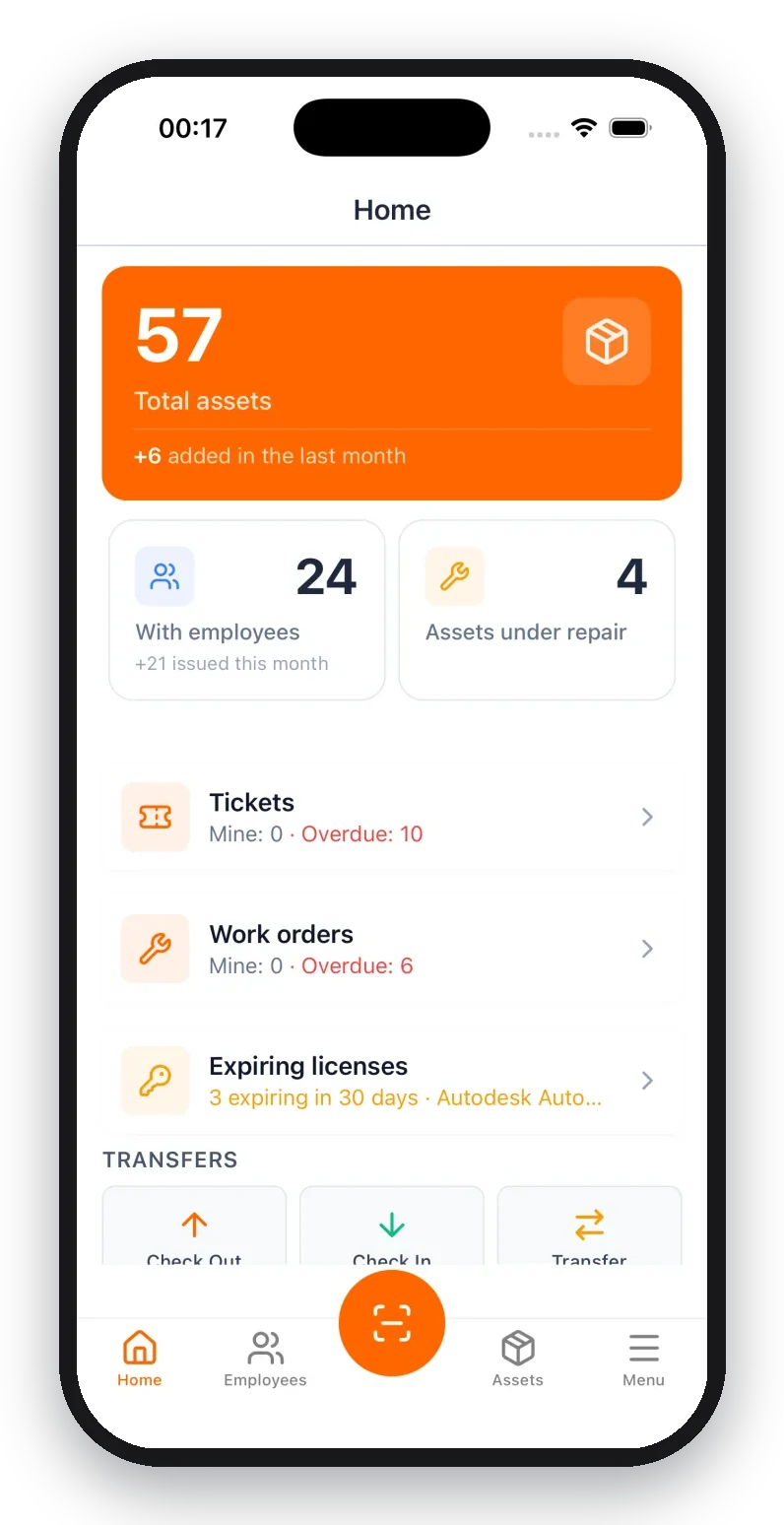
For example, UNIO24 gives you complete functionality for up to 50 assets - with no feature limitations. That means: tracking, transfers, assignment to employees, reminders, reports - everything the pros use, just within a quantity limit. For a small business, startup, or single department - more than enough to get organized and figure out if you need to scale up.
Option 3: Open-Source Solutions
Snipe-IT, Ralph - there are free open-source systems out there. But let's be real: to deploy them, you need someone with technical skills, a server, and time for setup. For a company with an IT department - great option. For everyone else — often overkill.
How to Start Right Now (Without the Pain)
Step 1: Gather everything in one place. Physically walk around and write down what you have. Your phone camera is your friend. Photograph serial numbers, labels, everything.
Step 2: Define your minimum data set. To start, you usually just need: name, category, location, person responsible, purchase date. Everything else can come later.
Step 3: Pick a tool and start entering. Don't try to log everything at once. Start with one category — like computer equipment. Get a feel for how the system works.
Step 4: Assign someone responsible. Even if it's just you. Tracking without an owner dies within a month.
What to Realistically Expect
The first two weeks will feel like a waste of time. That's normal. You're investing in order that will pay off when:
- You can answer "how many printers do we have and where are they" in under a minute
- You renew licenses and warranties on time
- You breeze through inventory audits
- A departing employee doesn't walk off with "their" work laptop
Instead of a Conclusion
Asset tracking isn't about control for control's sake. It's about making sure company resources are working, not disappearing. And you can start for free, with whatever number of assets you have right now.
50 pieces of equipment is roughly a small office or one department. If you're within that limit, services like UNIO24 give you a professional tool with zero upfront cost. From there, you can decide — scale up or stay within the free tier.
The main thing is to start. Because the perfect time to get organized was yesterday. The second best time is today.
How do you track equipment at your company? Share in the comments — we'd love to hear real stories.