Building Asset Sharing Pools: Serve More with Less
How to create and manage a shared equipment pool that reduces idle assets, cuts procurement costs, and actually works. Pool sizing, checkout systems, rules, and performance tracking.
Fifteen departments. Fifteen printers. Average utilization: 22%. Somehow, everyone still complains they can't print.
A few years ago, I was helping a mid-size company audit their IT assets. They had 15 color laser printers, one per department floor. Nice ones, too. About $1,200 each. Total investment: $18,000 plus toner, maintenance contracts, and the floor space each one occupied.
When we pulled the utilization data, it told a familiar story. Three printers were doing about 60% of all the printing. Five were moderately used. And seven (almost half the fleet) were printing fewer than 50 pages a month. That's a $1,200 machine doing the job of a $30 inkjet.
The fix wasn't buying better printers. It was reducing idle equipment by consolidating from 15 department-owned printers to 6 strategically placed shared ones. Same total capacity. Half the hardware. Toner costs dropped 40% because we went from fifteen different supply chains to one. Maintenance contracts went from fifteen to six. And here's the part that surprised everyone: nobody complained. Because the shared printers were placed based on actual usage data, not org chart politics.
That's a shared pool in action. Not a revolutionary concept. Not a complex technology deployment. Just a smarter way to match supply to demand by sharing resources instead of duplicating them.
This article is a deep dive into building and managing shared equipment pools, one of the most practical strategies from our asset utilization framework. If you've measured your utilization (and if you haven't, start there) and found a pile of underused assets, this guide shows you how to reduce idle equipment by turning it into something useful.
What Is an Asset Sharing Pool (and When Does It Make Sense)
Let's define what we're talking about. An equipment sharing pool is a collection of assets that aren't assigned to specific people or departments. They're available to anyone who needs them, on a checkout basis.
Think of it like a library. Nobody owns the books. Everyone borrows them. The library exists because buying a personal copy of every book for every person would be absurdly wasteful. The same logic applies to shared resource management: equipment that's needed intermittently by multiple people.
Department vs Shared Ownership: The Two Models
Dedicated assignment means each asset belongs to a specific person or department. Sarah has her laptop. Marketing has their camera. The engineering lab has its oscilloscope. Simple ownership, no coordination needed.
Shared pool means the assets belong to the organization and are checked out as needed. There are 10 laptops in the pool. Need one for a meeting? Check it out, use it, bring it back. Nobody "owns" any specific laptop.
Neither model is universally better. The right choice depends on the asset type and usage pattern:
| Factor | Dedicated Works Better | Shared Pool Works Better |
|---|---|---|
| Usage frequency | Daily, all-day use | Intermittent, few hours at a time |
| Personalization | High (custom software, settings) | Low (generic configuration) |
| Accountability | Critical (expensive, fragile) | Moderate (replaceable, sturdy) |
| Number of users | 1-2 per asset | 5+ potential users per asset |
| Utilization rate | Above 60% | Below 50% |
The sweet spot for pooling: assets that are needed by many people, used by each person infrequently, and don't require heavy personalization. Projectors, shared laptops, cameras, test equipment, power tools, vehicles for errands, conference room AV gear. These are classic pool candidates.
When to Make the Switch
The signal is in your utilization data. If you see this pattern, it's time to consider pooling:
- Multiple assets of the same type across departments
- Individual utilization below 50% for most of them
- No single user needs it full-time: usage is spread across many people
- The asset doesn't require personal configuration (or can be easily reset between users)
Here's the math that makes shared equipment management compelling: when you understand how to set up an equipment sharing pool, the numbers speak for themselves. If 5 departments each have a camera at 30% utilization, that's 5 cameras doing the work that 2 could handle. A pool of 2-3 cameras at 70-80% utilization serves the same total demand, and costs 40-60% less to own and maintain.
For more context on utilization thresholds that signal pooling opportunities, check the benchmarks by industry.
Step 1: Identify Pool Candidates
Not every asset belongs in a pool. The first step in building an effective shared pool is figuring out what to include, and what to leave assigned.
Good Pool Candidates
These assets share common traits: multiple potential users, intermittent demand, and low personalization requirements.
IT Equipment:
- Shared/loaner laptops (for visitors, temp workers, training sessions)
- Presentation laptops (pre-loaded with presentation software)
- Tablets for field work or inventory
- Portable monitors
- Mobile hotspots
AV and Media:
- Projectors
- Cameras and video equipment
- Audio recording gear
- Portable speakers
Tools and Field Equipment:
- Power tools (drills, saws, specialty tools)
- Measurement and testing equipment
- Safety equipment (gas detectors, harnesses)
- Cleaning machines (floor scrubbers, pressure washers)
Vehicles and Transport:
- Pool vehicles for errands and site visits
- Forklifts shared across warehouse zones
- Delivery bikes or scooters
Bad Pool Candidates
Some assets should stay dedicated. Forcing these into a pool creates more problems than it solves.
- Primary work devices (personal laptops, workstations): too personalized, needed all day
- Equipment requiring calibration per user (specialized medical devices, precision instruments): recalibration between users is impractical
- Safety-critical equipment tied to certification (personal protective equipment, breathing apparatus): regulations often require individual assignment
- Assets with long checkout cycles (equipment borrowed for weeks): that's not sharing, it's reassignment
The Utilization Threshold
As a practical rule: if an individually assigned asset is below 40% utilization and there are 3+ similar assets in the organization, it's a pool candidate. Above 60%, it's probably fine as-is. Between 40-60%, look at the usage pattern: is it consistently moderate (keep assigned) or bursty with long idle periods (pool it)?
Pull this data from your tracking system. If you're using QR-based utilization tracking, you already have everything you need.
Step 2: Size Your Pool Correctly
This is where most sharing pools go wrong. Too many assets in the pool, and you've just moved idle equipment from closets to a shelf. Congratulations, same problem with a label on it. Too few, and people can't get what they need, which kills trust in the system and drives equipment hoarding.
The Peak Concurrent Usage Formula
Here's how to calculate the right equipment pool sizing:
- Track peak concurrent checkouts over 30 days. Not average, peak. If the highest number of simultaneously checked-out cameras was 4, that's your baseline.
- Add a 20-30% buffer for growth, scheduling overlaps, and assets being maintained/charged. So 4 peak → 5-6 in the pool.
- Round up if close to a whole number. Better to have one extra than one short.
Formula: Pool size = Peak concurrent usage × 1.25 (round up)
That's it. Don't overthink this. The beauty of a pool is that you can adjust. It's much easier to add or remove one asset from a pool than to re-assign department-owned equipment.
How Many Assets in a Shared Pool? Quick Reference
| Peak concurrent users | Buffer (25%) | Recommended pool size |
|---|---|---|
| 2-3 | +1 | 3-4 |
| 4-6 | +1-2 | 5-8 |
| 7-10 | +2-3 | 9-13 |
| 11-15 | +3-4 | 14-19 |
| 16+ | +4-5 | 20+ (consider sub-pools) |
For pools larger than 20, consider splitting into location-based sub-pools. A pool of 30 laptops in one building is fine. A pool of 30 laptops split across 3 buildings? That's 3 pools of 10. Geography matters.
The "Too Big" and "Too Small" Signals
Pool is too big (pool utilization rate below 40%): assets are sitting on the shelf more than they're being used. Remove the least-used items: sell, reallocate, or retire them.
Pool is too small (pool utilization rate above 85%): people are waiting in line, which means they'll start finding workarounds. This often leads to shadow IT: employees buying their own equipment with personal money or expense accounts, which creates assets you can't track, support, or secure. Add capacity before this happens.
Just right (pool utilization rate 50-75%): equipment availability is good, wait times are minimal, and you're not paying for shelf decorations. This is your target zone.
Step 3: Design Your Equipment Checkout System
A sharing pool without a checkout system is just a shelf of stuff that disappears. You need a process that tracks who has what, when they took it, and when they brought it back.
Reservation-Based
Users book equipment in advance through a calendar or booking system. Think of it like booking a meeting room. Predictable, prevents conflicts, and works well for planned events (presentations, shoots, site visits). The trade-off: overhead for spontaneous needs, no-shows waste reserved slots, and you need a booking platform to run it. Best for high-demand, high-value equipment where planning is normal: cameras, vehicles, specialty tools.
First-Come-First-Served
A true first-come-first-served model. Walk up, scan the QR code, take the asset. No reservation needed. Zero friction, perfect for spontaneous needs, no booking system to manage. The catch: no guarantee of availability, can frustrate people who plan ahead, and there's always a risk of one person monopolising assets. Best for lower-value, higher-quantity equipment where there's usually something available: shared laptops, portable chargers, basic tools.
Hybrid (the one I recommend most often)
Allow reservations for planned needs, keep some units available for walk-ups. If you have a pool of 8 laptops, allow 5 to be reserved and keep 3 as first-come-first-served. This is the asset sharing best practice I land on most often. It satisfies both planners and spontaneous users without requiring everyone to change their behaviour.
Checkout Rules That Actually Work
Whatever system you choose, these equipment check-out rules prevent the most common problems:
- Maximum checkout duration. Set a default max based on typical use. Laptops: 1 day. Cameras: 3 days. Vehicles: 4 hours. Allow extensions, but make them explicit: the user has to actively request more time.
- Auto-return reminders. Send a notification at 75% of the checkout window. "Your camera is due back in 2 hours." This catches forgetfulness before it becomes a problem.
- Overdue escalation. If someone doesn't return an asset on time, notify their manager after 24 hours. Sounds harsh, but it only takes one escalation to make the entire team start returning things on time.
- One-at-a-time limit (for some categories). Prevent one person from checking out 5 laptops "for the team." If the team needs 5, the team lead checks them out under their name and is responsible for all 5.
- Condition check on return. A 5-second "is this working? yes/no" prompt when scanning back in. Catches damage early while you still know who had it last.
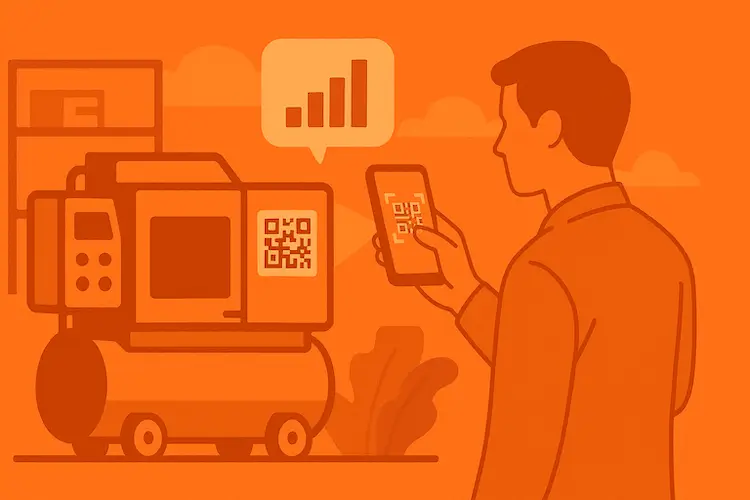
The easiest way to implement all of this is with a check-in/check-out system that uses QR codes. Every checkout and return is a scan. The system handles reminders, escalation, and tracking automatically. If you're already using QR-based tracking, you're halfway there.
Step 4: Set Up the Physical Pool Station
Digital systems are great. But the physical setup matters just as much. If people can't find the pool, can't easily grab what they need, or have to walk across the building to return something, adoption dies.
Location, Location, Location
Place the pool where the users are, not where you have space. A pool closet on the basement level might be convenient for facilities, but nobody will walk down three flights for a laptop.
Ideal locations:
- Near elevators or main corridors (high traffic)
- Near the teams who use the equipment most
- On every floor if the building is large (sub-pools)
- Near charging infrastructure for electronics
Bad locations:
- Behind locked doors with limited access hours
- In someone's office (creates a gatekeeper)
- In storage rooms that require a badge + key + passcode
Physical Setup Checklist
- Visible signage: "Equipment Pool" sign that's hard to miss
- Organized storage: labeled slots, shelves, or charging bays for each asset type
- QR code posted at the station: for quick scan-to-checkout
- Charging stations: for laptops, tablets, cameras, hotspots. An uncharged asset is an unavailable asset
- Return bin or designated return spot: don't make people guess where to put things back
- Brief instructions: a laminated card with "How to check out" steps (3 max)
- Condition of the equipment visible, so users can see at a glance what's available vs. checked out vs. charging
The "Vending Machine" Model
Some organizations take this further with automated equipment dispensers, essentially vending machines for tools or devices. You scan your badge, select what you need, and the machine releases it. Return works the same way.
This is overkill for most organizations. But if you manage a large tool crib (construction, manufacturing, maintenance) with 50+ pool items and high daily turnover, the automation pays for itself in reduced loss and perfect shared equipment tracking. Think of it as the equipment equivalent of a smart locker.
For everyone else, a well-organized shelf with QR codes does the job.
Step 5: Define Rules and Fight the Tragedy of the Commons
Here's the uncomfortable truth about shared equipment management: without clear rules, pools degrade. People treat shared things worse than their own things. It's human nature, not malice, just psychology. Economists call it the tragedy of the commons, and it applies to your equipment pool just as much as it applies to public parks.
The Core Problem
When nobody owns an asset individually, three things tend to happen:
- Neglect. Nobody charges it. Nobody cleans it. Nobody reports the cracked screen. "Someone else will deal with it."
- Hoarding. Someone checks out a laptop on Monday and keeps it all week "just in case." Equipment hoarding is the silent killer of sharing pools.
- Disappearance. Assets walk away. Not stolen, usually, just forgotten in a meeting room, left in a car, or sitting on someone's desk long after the checkout expired.
The Shared Equipment Policy That Prevents This
A written shared equipment policy doesn't need to be long. One page is enough. But it needs to exist, and everyone needs to know about it.
What to include:
- Who can use the pool: All employees? Specific departments? Contractors?
- How to check out and return: Step-by-step (ideally: "scan the QR code")
- Maximum checkout duration by asset type
- Condition expectations: Return it charged, clean, and in working order
- Equipment maintenance responsibility: Who fixes things? Where to report damage? What happens if something breaks during your checkout?
- Consequences for overdue returns: Reminder → manager notification → loss of pool privileges
- Consequences for damage: Honest wear and tear = no penalty. Negligence = conversation with manager.
How to Prevent Equipment Hoarding
Hoarding is the most common problem I see in shared pools. People check things out and just... keep them. Not out of greed, out of convenience. "I might need it again tomorrow, so I'll just hold onto it."
Three tactics that work:
- Hard checkout limits with auto-reminders. The system sends a "return by 5pm" reminder. If not returned, it shows as overdue on the dashboard. Nobody wants their name on the overdue list.
- Visibility. A shared dashboard showing "Currently checked out: laptop #7, Sarah M., checked out 3 days ago" creates gentle social pressure. The asset reallocation strategy here is transparency: people return things faster when they know everyone can see the status.
- Usage reviews. Monthly, look at checkout patterns. If someone checks out the same laptop every day for a month, that's not sharing. That's de facto assignment. Either assign it to them officially or have a conversation about the pool being for intermittent use.
Step 6: Measure Pool Performance
A sharing pool without metrics is just a hope. You need to measure it to know if it's working, and to catch problems before they become crises.
The Key Pool Performance Metrics
1. Pool utilization rate
The most important number. Total checked-out hours ÷ total available hours across all pool assets.
- Below 40%: pool is too big. Remove assets.
- 50-75%: healthy range. Good equipment availability with reasonable efficiency.
- Above 85%: pool is too small. People are waiting. Add capacity.
Track this weekly. A utilization reporting dashboard makes this a 2-minute check.
2. Average wait time
How long does someone wait between requesting an asset and getting one? If the answer is "never, there's always one available," your pool might be oversized. If people regularly wait 30+ minutes, the pool is undersized or poorly located.
3. Peak concurrent checkouts
The number that drives your pool sizing decisions. Track daily and weekly peaks. If peaks are consistently bumping against total pool size, it's time to grow.
4. Checkout duration vs. allowed maximum
Are people returning on time? If the average checkout is 6 hours but the max is 8, you're fine. If the average is 7.5 hours, people are pushing limits and you might need a longer window, or stricter enforcement.
5. Asset turnover rate
How many times each asset gets checked out per month. If one laptop gets checked out 40 times and another gets checked out 3 times, either the popular one is preferred (newer, faster, better screen) or the unpopular one has an issue. Investigate the outliers.
6. Idle asset identification
Any pool asset checked out zero times in 30 days? That's equipment idle time you're paying for. This is the signal to remove it from the pool and either reassign, sell, or retire.
Monthly Pool Review (30 Minutes)
Pull these numbers monthly and answer three questions:
- Is the pool the right size? (utilization rate in the 50-75% range?)
- Are people following the rules? (overdue returns, hoarding patterns?)
- Are any assets underperforming? (low checkout rate, frequent damage reports?)
Adjust accordingly. Add assets if demand grows. Remove them if demand drops. Replace damaged ones before they frustrate users.
Real-World Example: University Laptop Pool
Let me walk through a concrete example, a composite based on several university IT departments I've talked to, since the pattern is remarkably consistent.
Before: Department-Owned Laptops
A university with 8 academic departments, each maintaining their own loaner laptops for students and faculty.
- Total laptops: 200 (roughly 25 per department)
- Average utilization: 38%
- Annual cost: ~$67,000 (refresh cycle, repairs, software licenses, IT support spread across 8 separate systems)
- Student complaints: "No laptops available", despite 124 of them sitting idle at any given time
The problem wasn't quantity. It was distribution. The business school had 25 laptops at 65% utilization, with students constantly waiting. The philosophy department had 25 laptops at 15% utilization, gathering dust. But neither department would "give up" their assets. Classic equipment hoarding at the organizational level.
After: Centralized Laptop Pool
The IT department consolidated all 200 laptops into a single tracked pool. After analyzing peak concurrent usage data:
- Actual peak concurrent demand: 95 laptops (across all departments)
- Recommended pool size (with 25% buffer): 120 laptops
- Surplus: 80 laptops retired (sold, donated, or recycled)
- New utilization rate: 72%
- Annual cost: ~$40,000 (fewer assets, fewer licenses, one support system)
- Annual savings: ~$27,000
- Student complaints about availability: dropped 80%
The key was data. Pooling increased capacity utilization dramatically. Nobody could argue with "your department uses a maximum of 8 laptops simultaneously, but you're holding 25." The numbers made the asset optimization conversation factual instead of political.
Three pool stations were set up: one in the main library (24/7 access), one in the student center, one in the engineering building. Each with charging bays, QR-based checkout, and clear signage. Students scan with their phone, take a laptop, bring it back when done. Average checkout: 3.5 hours.
Common Mistakes with Equipment Sharing Pools
Making the pool too big
The instinct is to throw everything in. "If it's underused, pool it!" But a pool of 30 items where 15 never get checked out is just a bigger closet. Start small. Begin with the most obviously poolable assets and expand based on demand. Asset optimization is iterative, not big-bang.
No checkout system
"Just grab it from the shelf and bring it back." This works for about two weeks. Then things start disappearing. Without a checkout system, you have no data, no accountability, and no way to find where the missing camera went. The shared equipment tracking system is the pool. Without it, you just have a shelf.
Ignoring the physical setup
A "pool" that's a cardboard box in a locked storage room with no signage? Nobody will use it. Spend 30 minutes setting up a proper station. Labelled slots, visible location, charging cables, clear instructions. The easier it is to use, the higher your adoption rate.
No rules (or rules nobody knows about)
Either there's no shared equipment policy (chaos) or there's a 10-page policy buried in the employee handbook (same chaos, with plausible deniability). Write the rules. Make them short. Post them at the pool station. Send them in the launch email. Repeat once a quarter.
Not measuring
If you don't track pool utilization rate, you can't answer "is this working?" Setup without measurement is a one-time project. Setup with measurement is a system that improves over time. The difference between a pool that saves money for years and one that becomes a forgotten shelf is whether someone actually looks at the numbers regularly.
Treating all assets the same
A $200 portable speaker and a $3,000 camera don't need the same checkout process. The speaker can be first-come-first-served with minimal tracking. The camera needs a reservation system, condition checks, and probably a case with accessories inventory. Tailor the process to the asset value and risk.
Getting Started: Your First Equipment Sharing Pool in Two Weeks
You don't need months of planning. The path from nothing to a working pool fits in two weeks.
Start by identifying candidates: pull utilization data, find 10-20 assets of the same type with utilization below 40%, confirm they're functional and don't require personal configuration. A day or two of work.
Then size the pool. Check peak concurrent usage, apply the 1.25× formula, decide which assets to include and which to set aside for retirement or reassignment. Another day or two.
Set up the system next. Configure your check-in/check-out process. If you're using UNIO24Mobile, this is creating a location group and enabling checkout mode, about 15 minutes. Print or assign QR labels if assets don't have them yet. Allow two or three days for label work.
Set up the physical station. Pick the location, install shelves or charging bays, post signage and a laminated "how to check out" card. Make it impossible to miss. A day or two of work, ideally near the end of week one.
Announce. Email the relevant teams. Keep it simple: "We're launching a shared equipment type pool. Here's where it is, here's how to use it, here's why." Include a link to the checkout system.
Then monitor for the rest of week two. Watch the first few days closely. Are people using it? Returning on time? Any confusion about the process? Fix issues fast. First impressions determine long-term adoption.
After 30 days, run the first proper review. Pull the pool performance metrics. Are you in the 50-75% utilization range? Any assets that were never checked out? Any that are always checked out? Adjust pool size and rules based on real data.
After 30 days, you'll know whether the pool concept works for this asset type. If it does (and it usually does), expand to the next category. Build one pool at a time. Each success makes the next one easier because the organization now has proof it works.